Configure an Agentic Bench run
This guide covers every field you set to configure an Agentic Bench run in the web app. It follows the page from top to bottom: the project, then the five steps of the AgentBench workload card. Step 3, Hardware, has its own guide because it holds the most settings: Hardware, parallelism, and sandboxes.
For a short guided first run, see the Quickstart.
Before you begin
- Onboard every machine you plan to use. The Metrum agent must be running on each one, so the machine reports its GPUs, CPUs, and memory.
- For two or more machines, record an IP address for each machine when you onboard it. A machine without one cannot join a multi-machine cluster.
- For a gated or private Hugging Face model, save a Hugging Face token in your account settings, and accept the model's license on Hugging Face with that account.
- For a prefill and decode split, your plan must include Distributed KV runs.
- Check the network access your machines need, and what a run installs on them: How Agentic Bench works.
The project
A project holds one or more workloads. You find it later by its name in run history and reports.
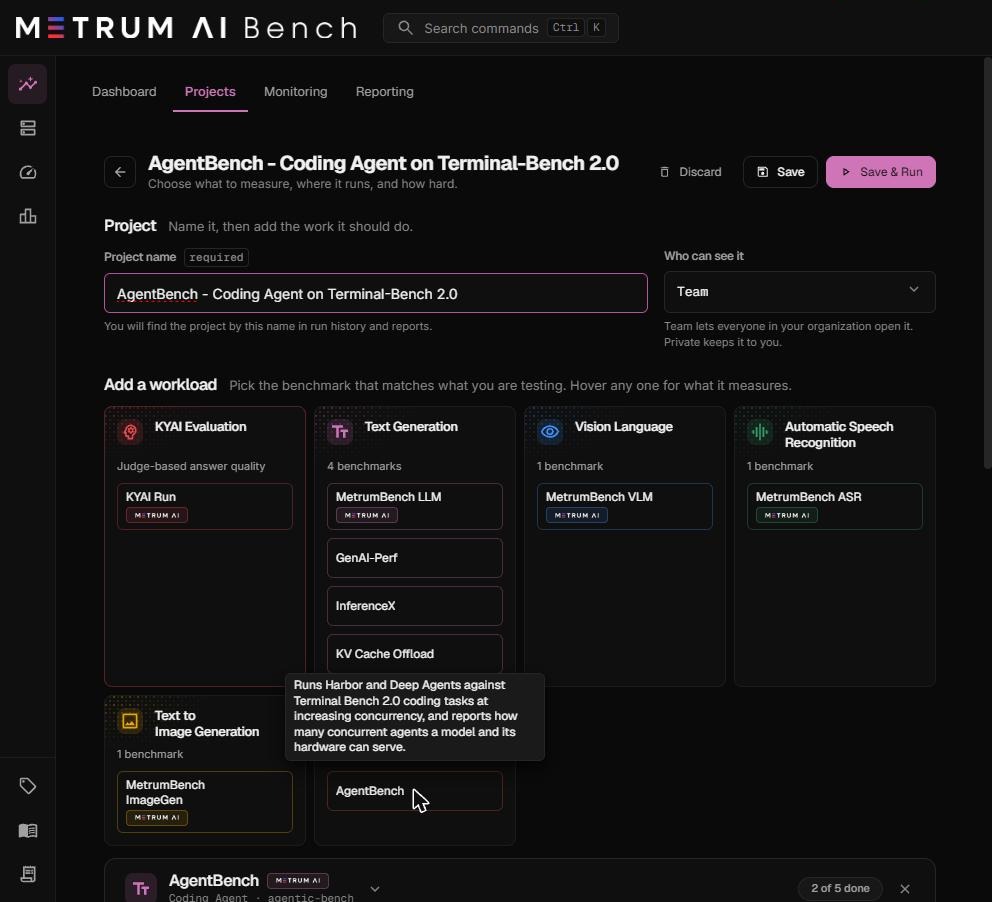
| Field | What it means | Default | Notes |
|---|---|---|---|
| Project name | The name shown in run history, monitoring, and reports. | Empty. Required. | Use a name that states the question, for example Qwen 3.8 27B on 2x L40S, coding agents. |
| Who can see it | Team lets everyone in your organization open the project. Private keeps it to you. | Team | You can change it later. |
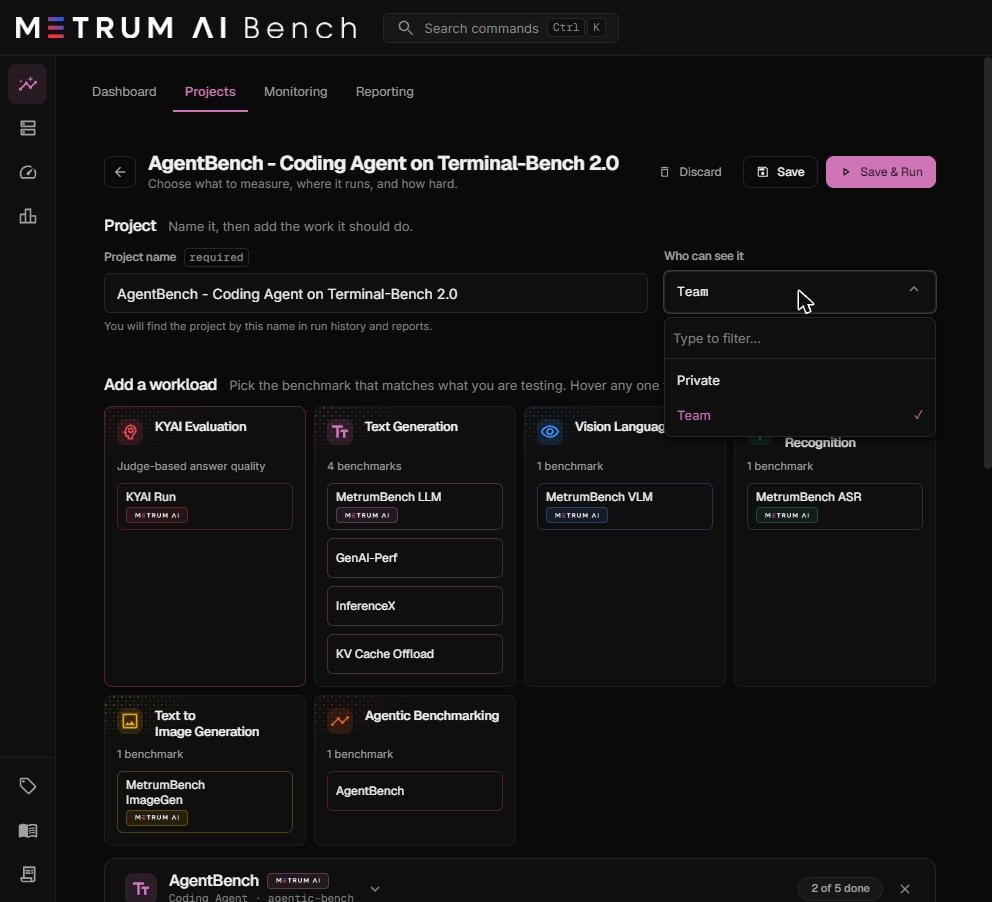
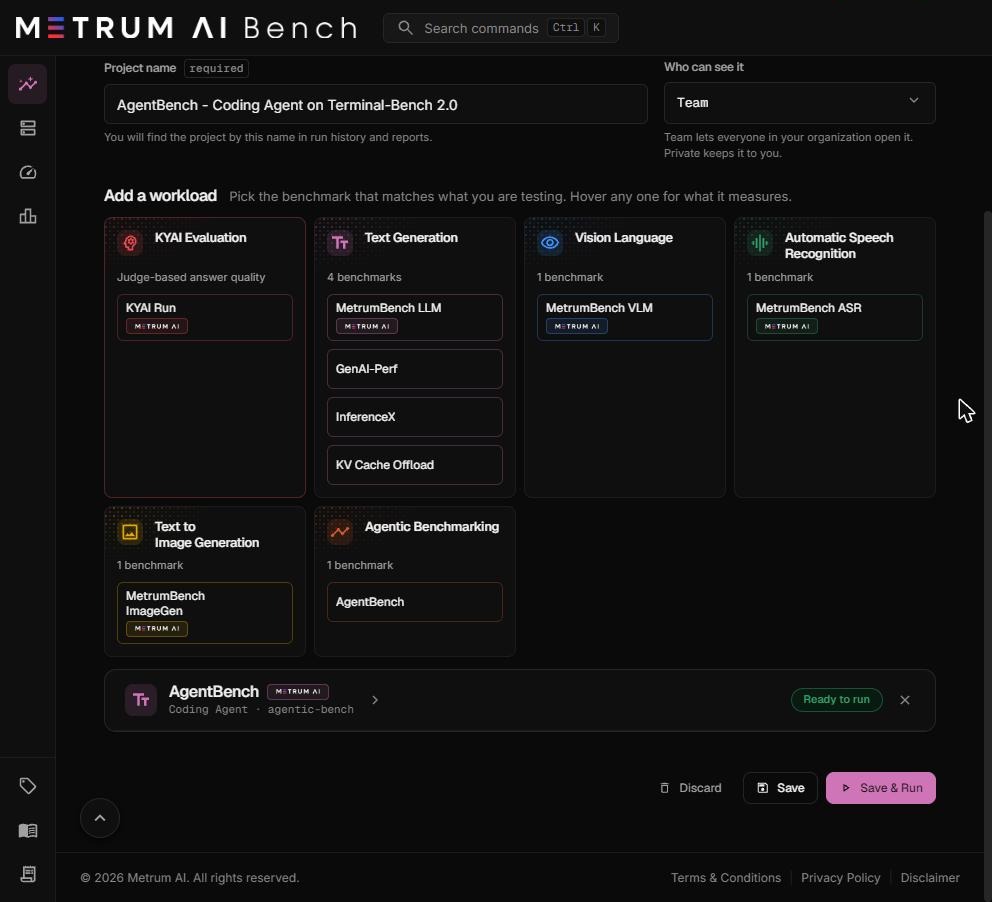
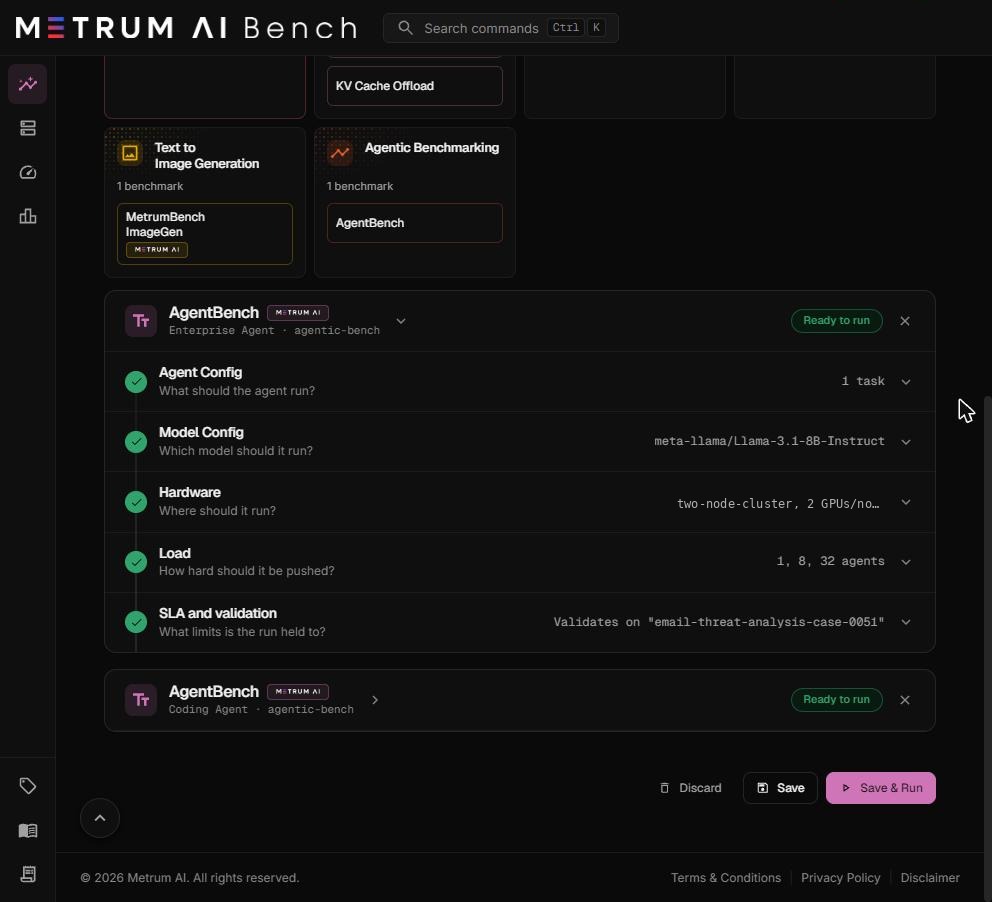
To add Agentic Bench, select AgentBench in the Agentic Benchmarking card under Add a workload. You can add more than one AgentBench workload to the same project, for example one Coding Agent and one Enterprise Agent workload. Each workload runs as its own run.
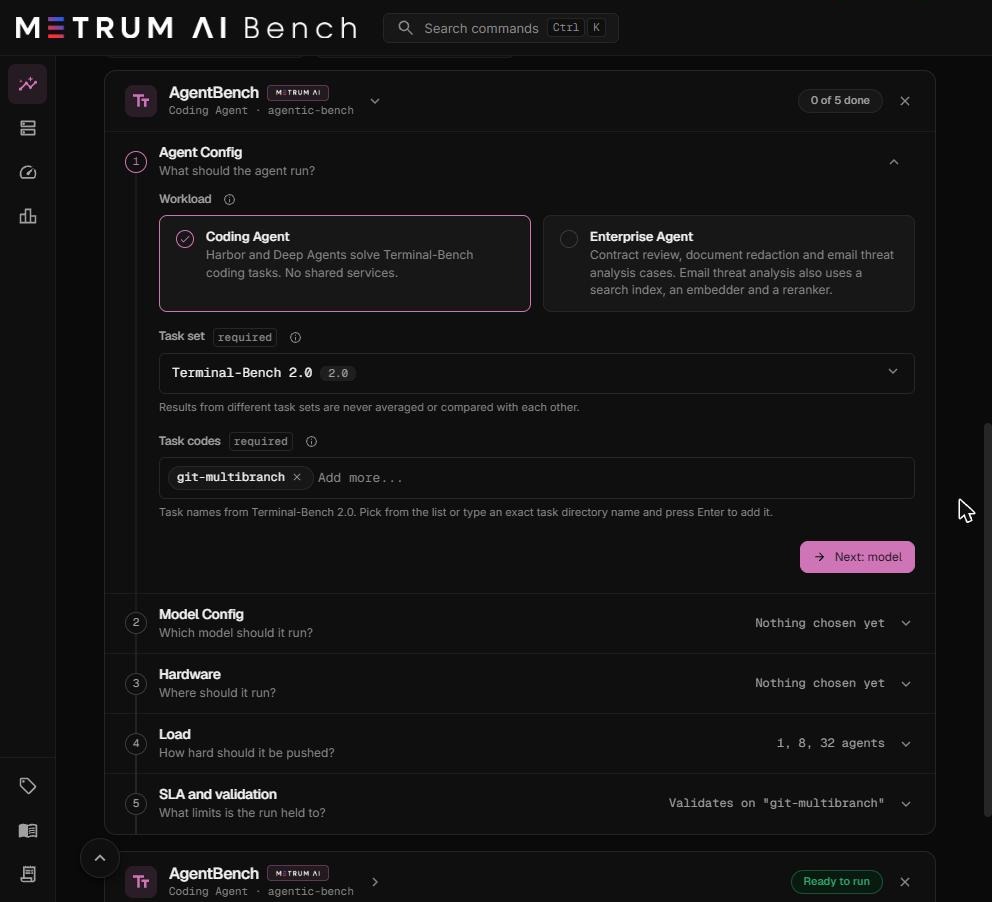
The workload card
Each AgentBench workload is a card with five steps. The card header shows the workload kind, for example Coding Agent · agentic-bench, and a progress badge such as 2 of 5 done. The badge changes to Ready to run when every required field is valid.
| Step | Question it answers | Summary shown when collapsed |
|---|---|---|
| 1. Agent Config | What should the agent run? | Number of tasks, for example 3 tasks |
| 2. Model Config | Which model should it run? | Model name |
| 3. Hardware | Where should it run? | Cluster group, GPUs per node, tensor parallel size, sandbox CPU mode |
| 4. Load | How hard should it be pushed? | Concurrency levels, for example 1, 8, 32 agents |
| 5. SLA and validation | What limits is the run held to? | The validation task |
Select a step header to open or close it. Each step has a Next button that opens the following step. Select the arrow beside the workload name to collapse the whole card.
Step 1: Agent Config
This step sets what the agents do.
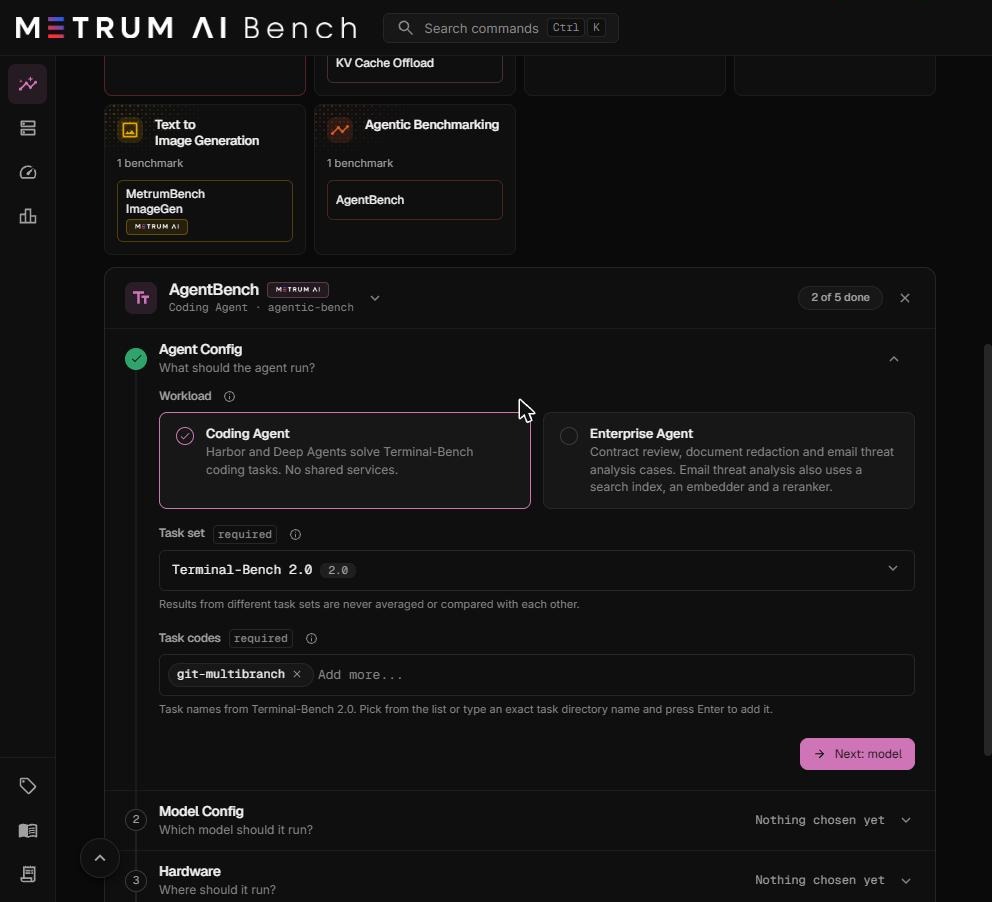
Workload
Choose the kind of agent work.
- Coding Agent. Harbor and the Deep Agents agent solve Terminal-Bench coding tasks. No shared services start.
- Enterprise Agent. The agent works one business case: contract review, document redaction, or email threat analysis. See Enterprise Agent workloads.
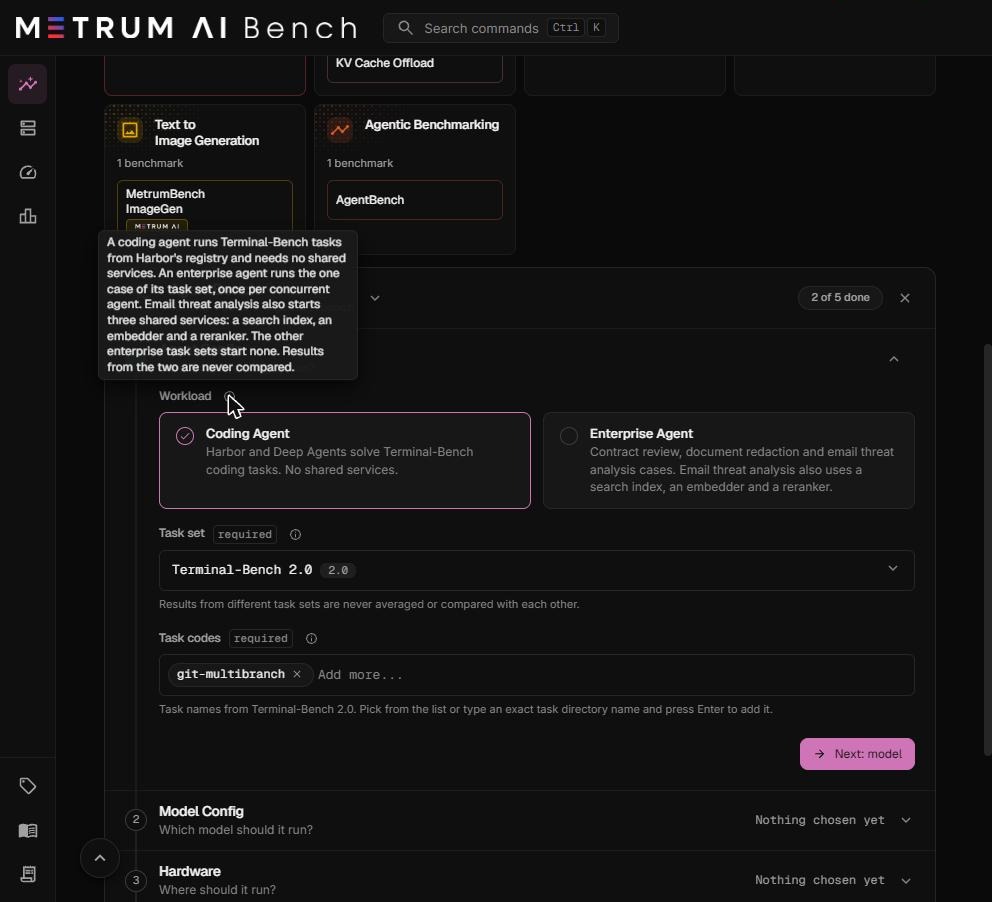
Changing the workload kind selects the first task set of that kind and replaces the task codes.
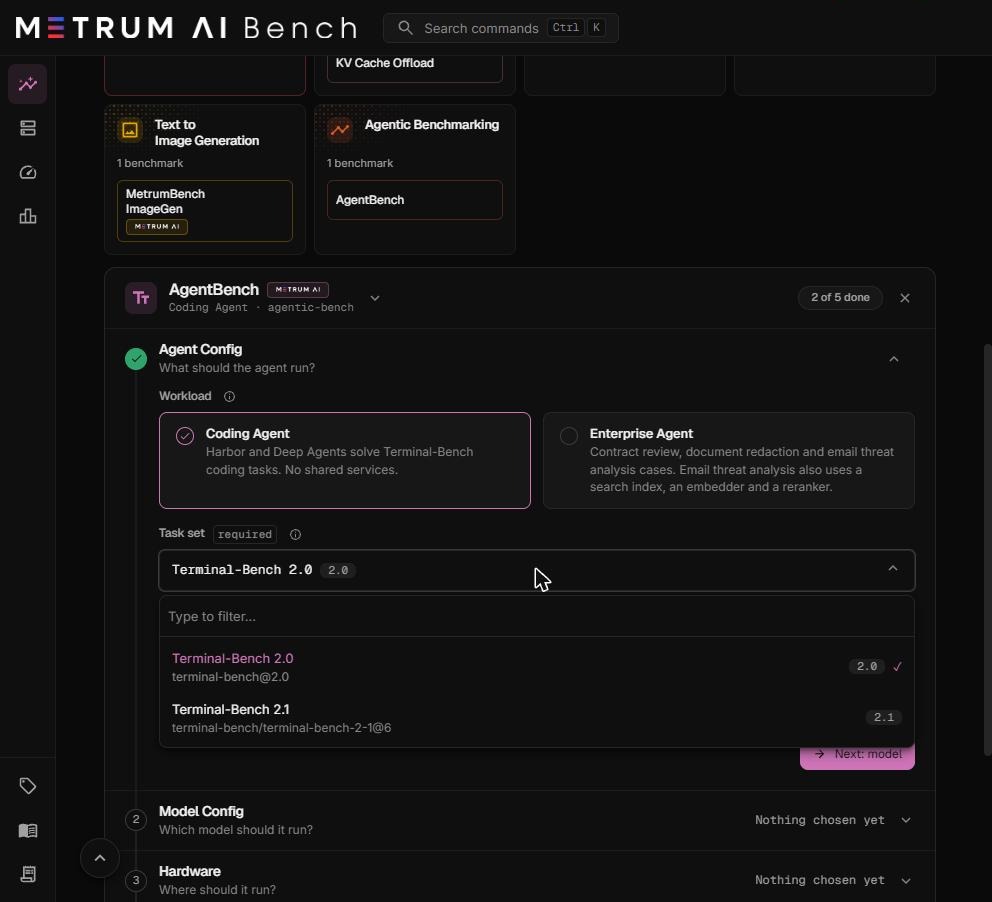
Task set
The collection of tasks the agents draw from. Required.
| Task set | Reference | Contents |
|---|---|---|
| Terminal-Bench 2.0 | terminal-bench@2.0 | The original 89-task Terminal-Bench 2.0 set from the Harbor registry. |
| Terminal-Bench 2.1 | terminal-bench/terminal-bench-2-1@6 | Terminal-Bench 2.0 with 28 of its 89 tasks revised: refreshed task images, wider time limits, and corrected tests. |
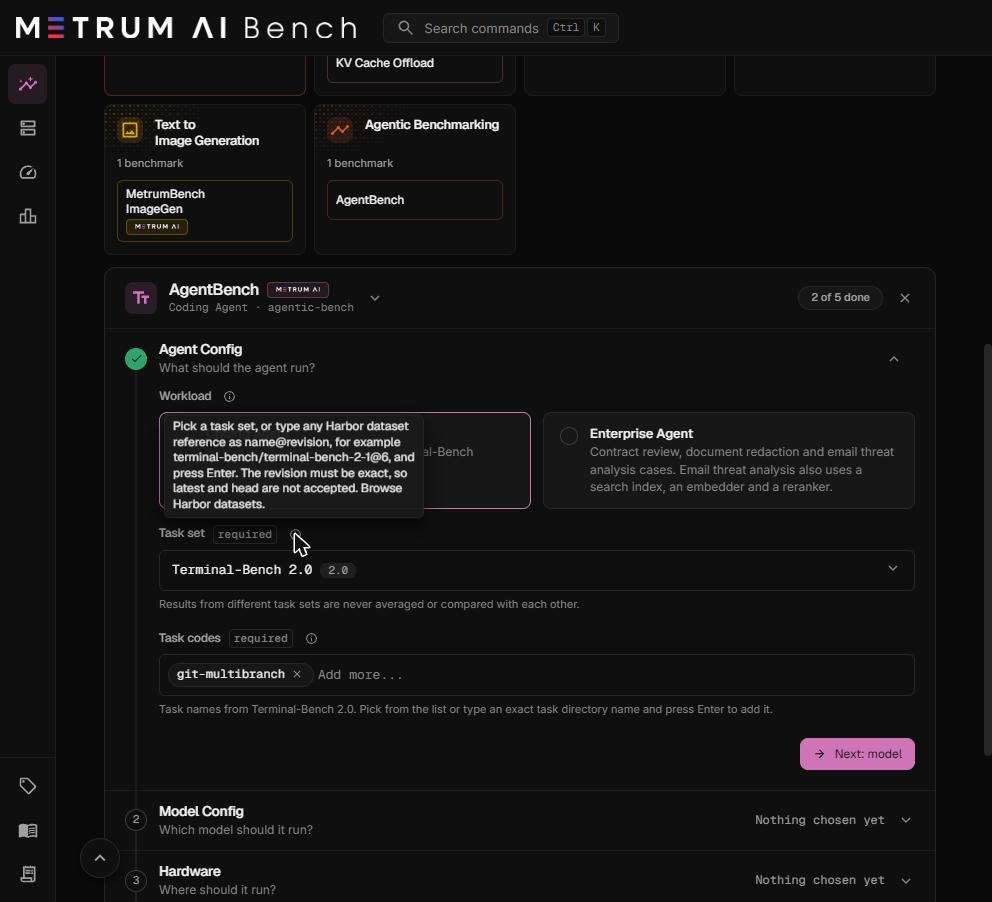
You can also type any Harbor dataset reference as name@revision and press Enter, for example terminal-bench/terminal-bench-2-1@6. The revision must be exact. latest, head, main, and master are refused. Browse available datasets at hub.harborframework.com/datasets.
A dataset you type is not in the curated list, so its tasks are checked only when the run starts. The launcher does not know their time limits, so each such task is budgeted like the slowest task in Metrum's catalog. Its level time limits in Step 5 are therefore longer than the task needs. The task's own limits still apply to each trial.
Results from different task sets are never averaged or compared with each other. Terminal-Bench 2.0 and 2.1 count as different task sets.
Task codes
The tasks each agent can be given. Required. Select any number from the list, or type an exact task directory name from the dataset and press Enter.
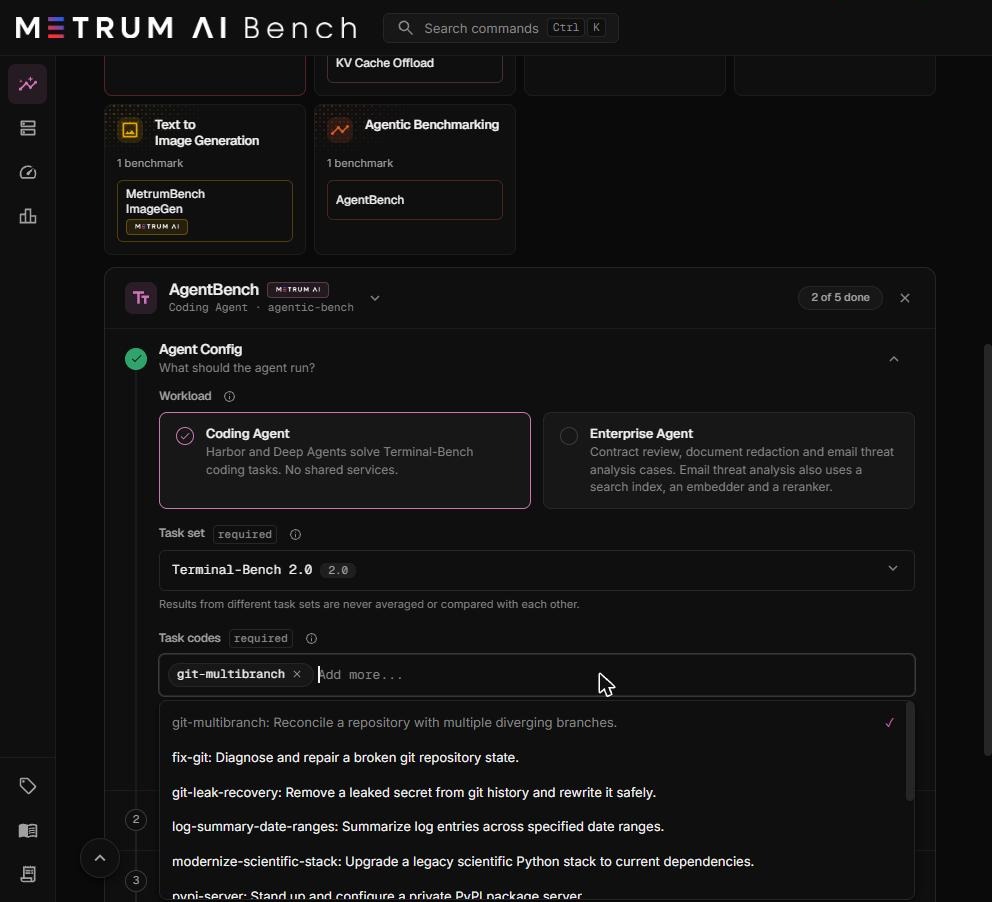
Terminal-Bench has 89 tasks. The quick-pick list holds the 11 that Metrum has catalogued with their time limits. You can type any other task directory name from the dataset. A typed task that is not catalogued is budgeted like the slowest catalogued task, as described in the note above.
The catalogued tasks and their agent time limits:
| Task code | What the agent does | Agent limit (2.0) | Agent limit (2.1) |
|---|---|---|---|
fix-git | Diagnose and repair a broken git repository state. | 15 min | 15 min |
git-multibranch | Reconcile a repository with multiple diverging branches. | 15 min | 15 min |
git-leak-recovery | Remove a leaked secret from git history and rewrite it safely. | 15 min | 15 min |
log-summary-date-ranges | Summarize log entries across specified date ranges. | 15 min | 15 min |
modernize-scientific-stack | Upgrade a legacy scientific Python stack to current dependencies. | 10 min | 10 min |
pypi-server | Stand up and configure a private PyPI package server. | 15 min | 15 min |
query-optimize | Optimize a slow database query without changing its results. | 15 min | 15 min |
crack-7z-hash | Recover a password from a 7z archive hash. | 15 min | 30 min |
filter-js-from-html | Filter script content out of HTML while keeping the page intact. | 30 min | 30 min |
caffe-cifar-10 | Build Caffe and train a CIFAR-10 model. | 20 min | 60 min |
portfolio-optimization | Implement a portfolio optimization routine against given constraints. | 60 min | 60 min |
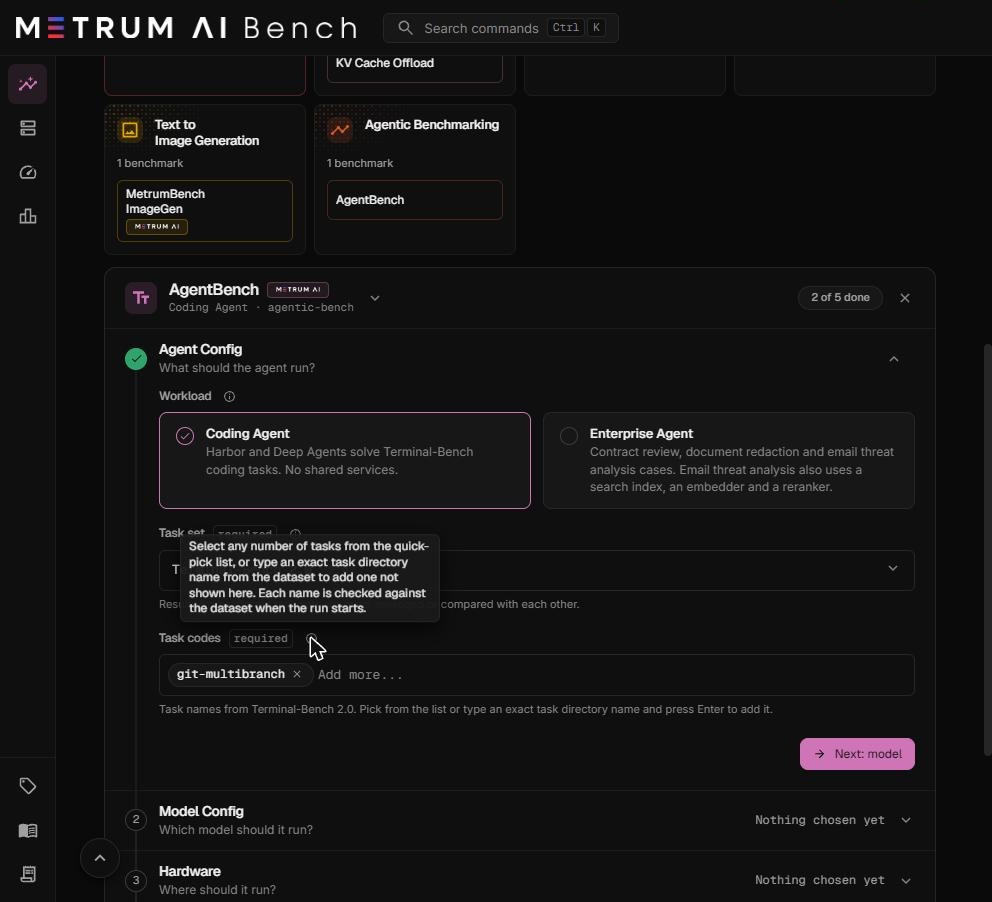
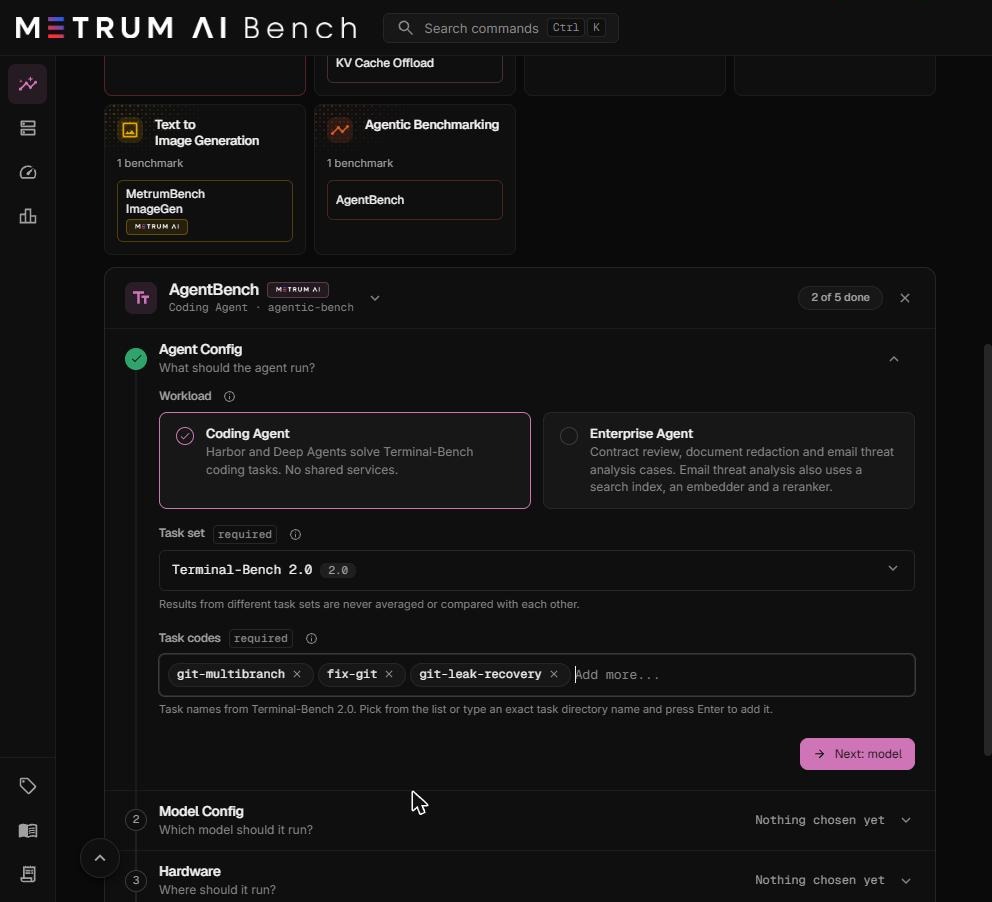
How tasks are spread. Each level runs every task in your list the same number of times: at least Trials per task, and more when the level has more agents than that. See Step 4: Load.
The first task code is the validation task. Put the task you trust most first. See Validation task.
Start with short, reliable tasks such as fix-git, git-multibranch, and git-leak-recovery. Long tasks such as portfolio-optimization raise every level's time budget and make a level take hours.
Step 2: Model Config
This step sets the model and the engine that serves it.
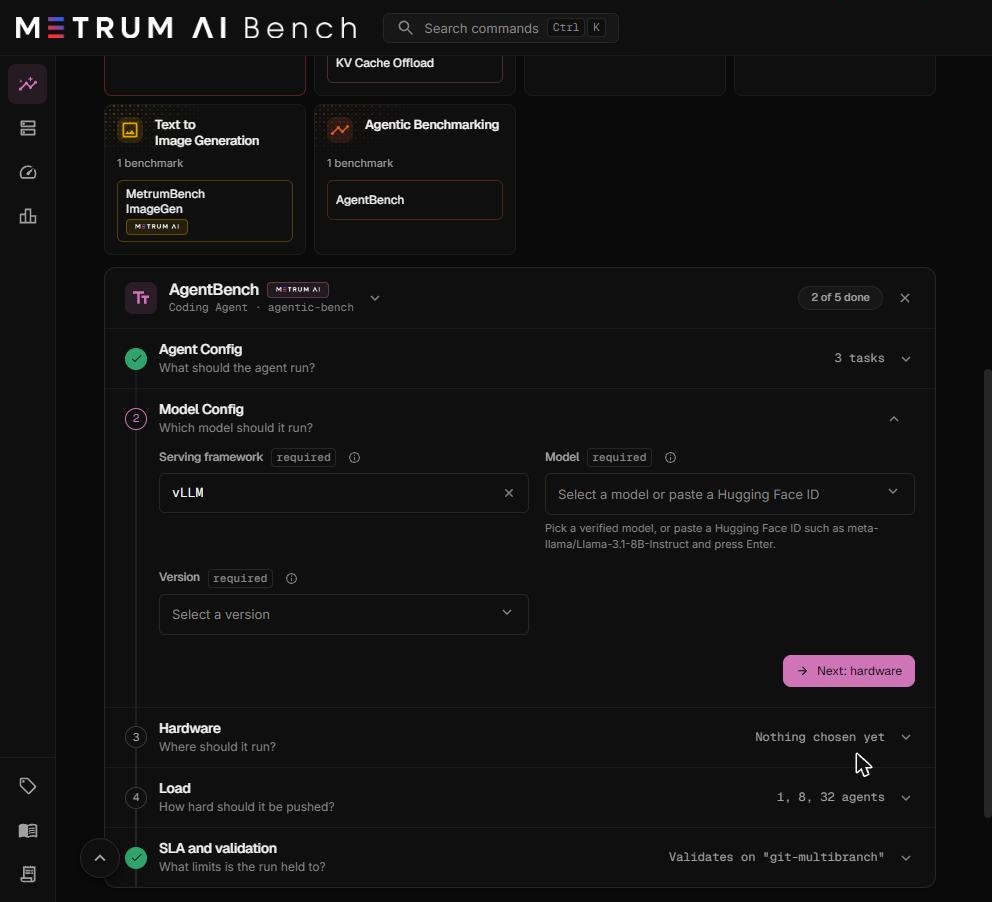
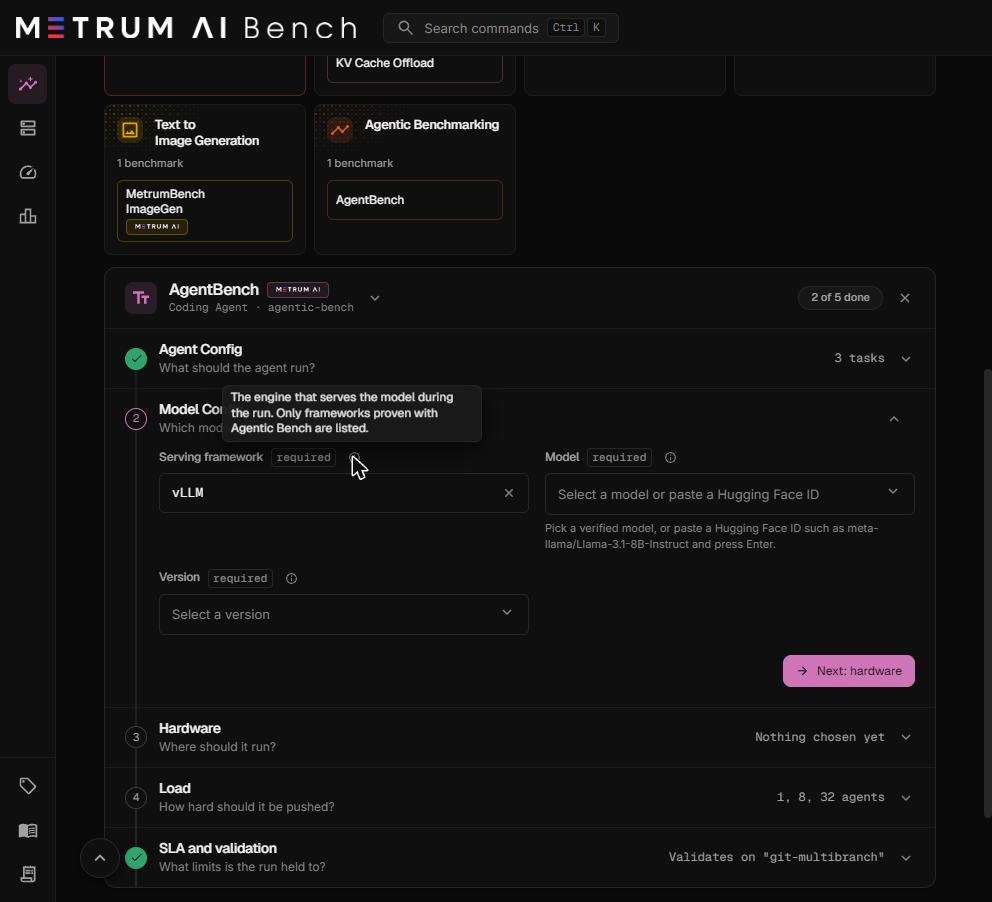
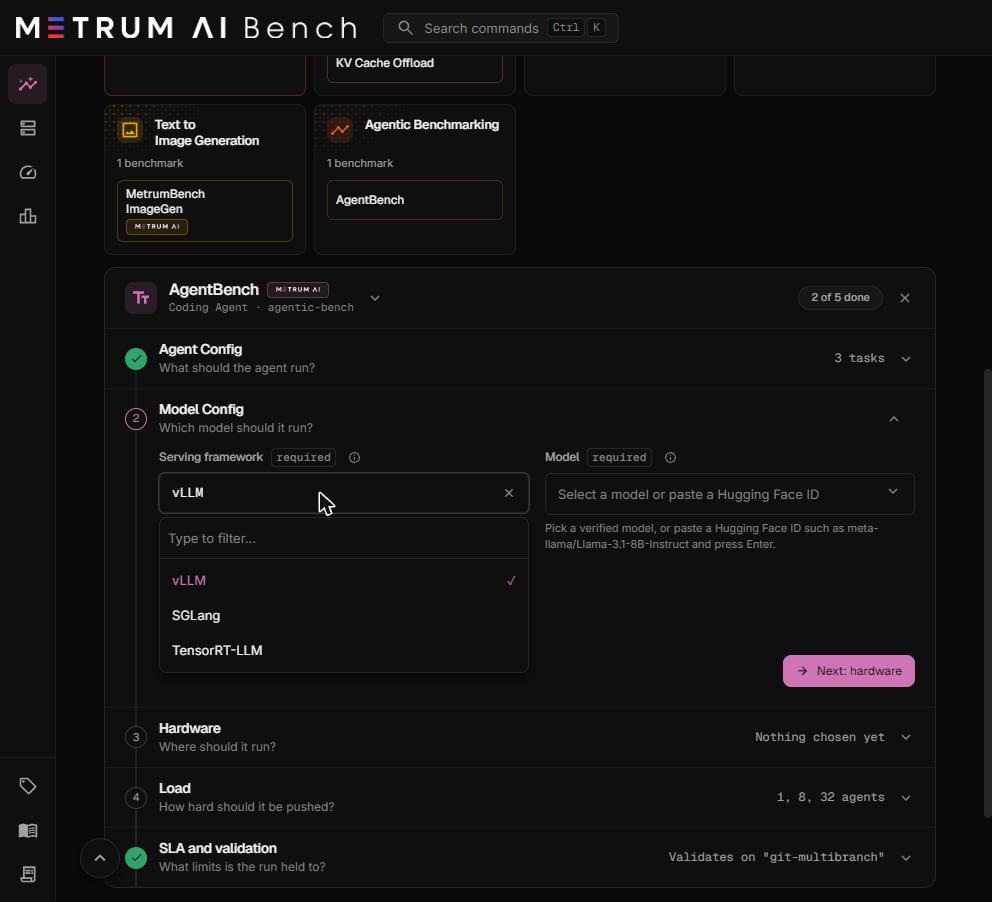
Serving framework
The engine that serves the model during the run. Required.
Choose vLLM. The list also shows SGLang and TensorRT-LLM. Only vLLM has been validated end to end with Agentic Bench, and the prefill and decode split runs on vLLM only.
Model
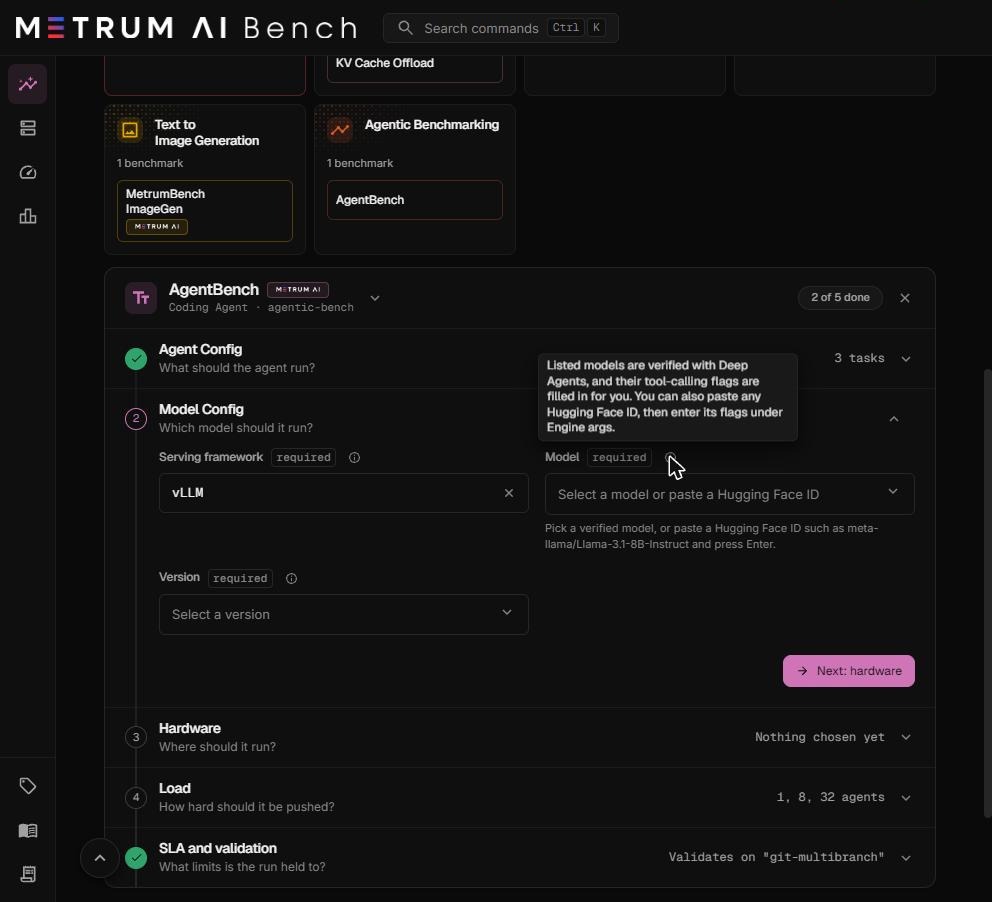
The model the agents call. Required. Select a verified model, or paste a Hugging Face model ID and press Enter.
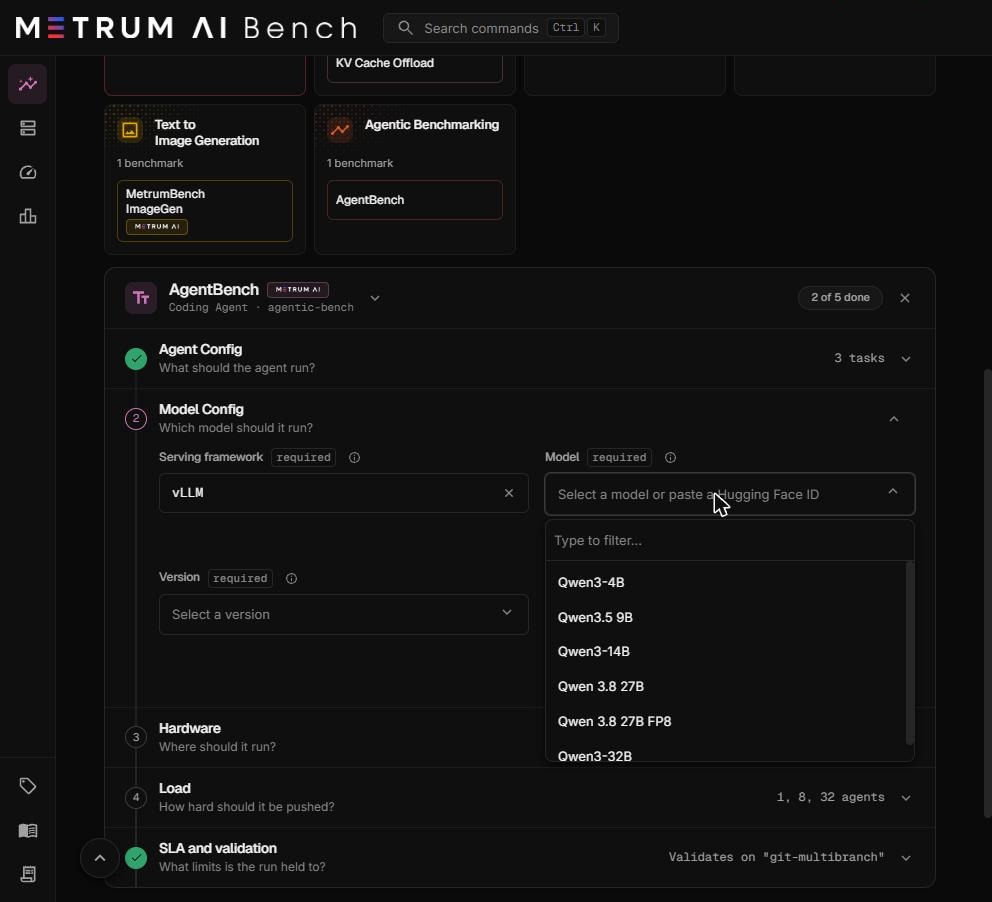
Verified models have an approved profile. The profile fills in the tool-calling settings the agent needs, so you set nothing else.
In the table below, Weights is the approximate GPU memory the model's weights take, before any KV cache. Tool call parser tells vLLM how this model writes a tool call. Reasoning parser tells vLLM how to separate the model's private reasoning from its answer. Thinking mode says whether the model's built-in step-by-step thinking stays on: Off means the profile turns it off, which keeps answers short and the agent fast.
| Model | Weights | Context length | Tool call parser | Reasoning parser | Thinking mode |
|---|---|---|---|---|---|
| Qwen3-4B | About 8 GB | 40,960 tokens | hermes | qwen3 | Model default |
| Qwen3.5 9B | About 18 GB | 262,144 tokens | qwen3_coder | qwen3 | Off |
| Qwen3-14B | About 28 GB | 40,960 tokens | hermes | qwen3 | Model default |
| Qwen 3.8 27B | About 54 GB | 262,144 tokens | qwen3_coder | qwen3 | Off |
| Qwen 3.8 27B FP8 | About 28 GB | 262,144 tokens | qwen3_coder | qwen3 | Off |
| Qwen3-32B | About 64 GB | 40,960 tokens | hermes | qwen3 | Model default |
Choosing a model. The GPUs of one model copy need room for the weights plus a KV cache at least as large again, because agent prompts grow with every turn. In Metrum tests, Qwen 3.8 27B FP8 ran with one replica per GPU on 96 GB RTX PRO 6000 GPUs, and split across two 80 GB H100 GPUs at pipeline parallel size 2. Qwen 3.8 27B at 16-bit precision ran on two 48 GB L40S GPUs at tensor parallel size 2. See Choosing tensor and pipeline parallel sizes.
Any other Hugging Face model is accepted as an unverified model. You must enter its tool call parser yourself. See Use a model that is not in the list.
Version
The framework version that serves the model. Required. The version is recorded with every result, so you can reproduce the run later.
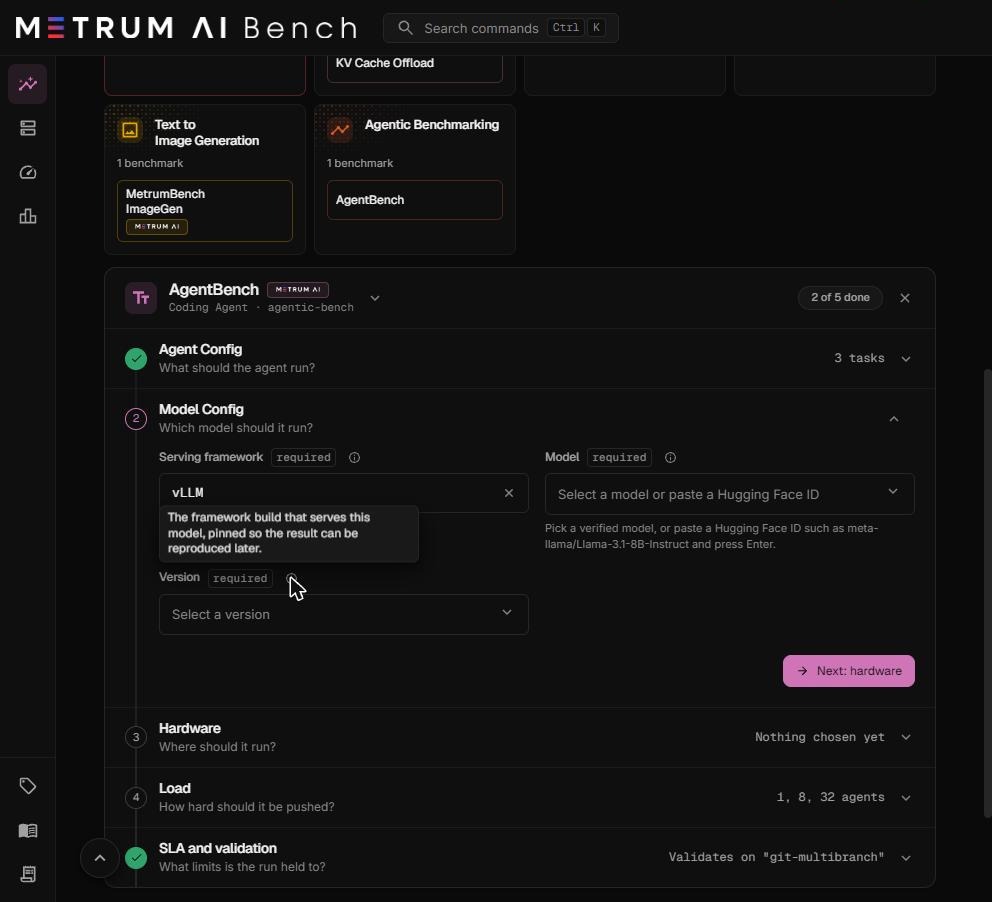
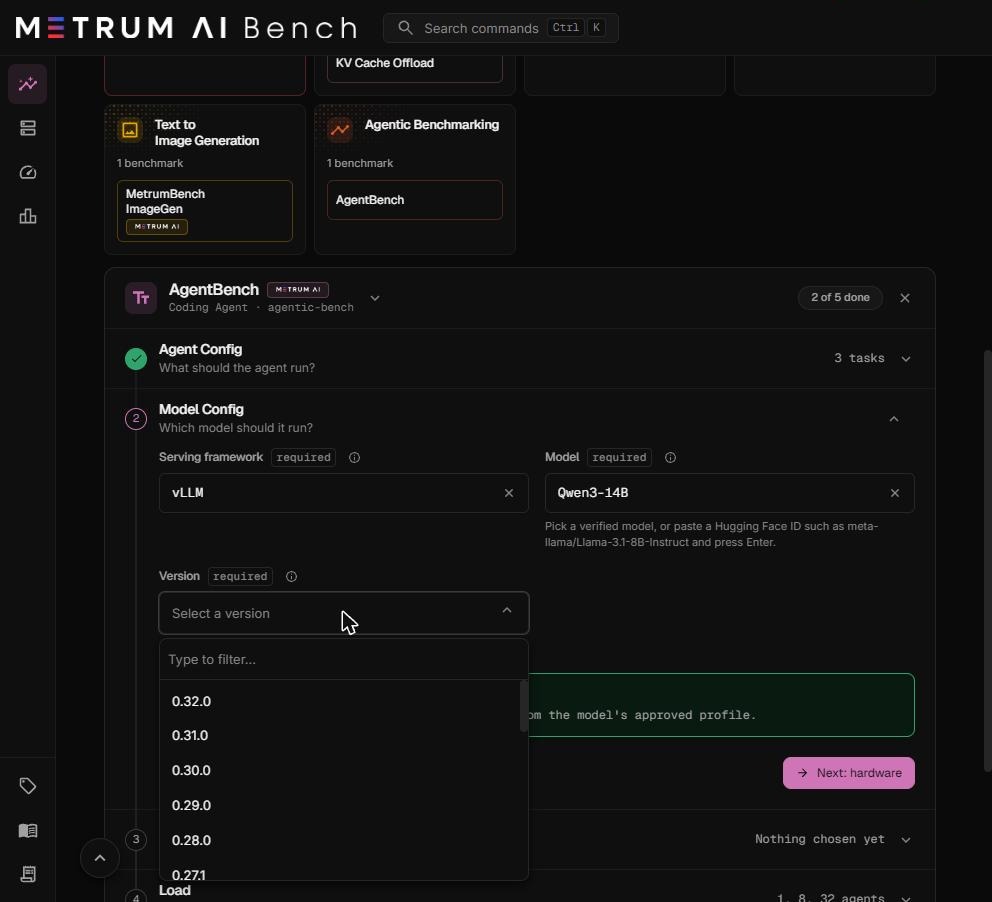
Metrum validation runs used vLLM 0.27.1, 0.28.0, and 0.30.0. Compare results only between runs that use the same version. When you turn on a prefill and decode split, the run also checks that the version supports the split, and refuses one that does not.
Build variant
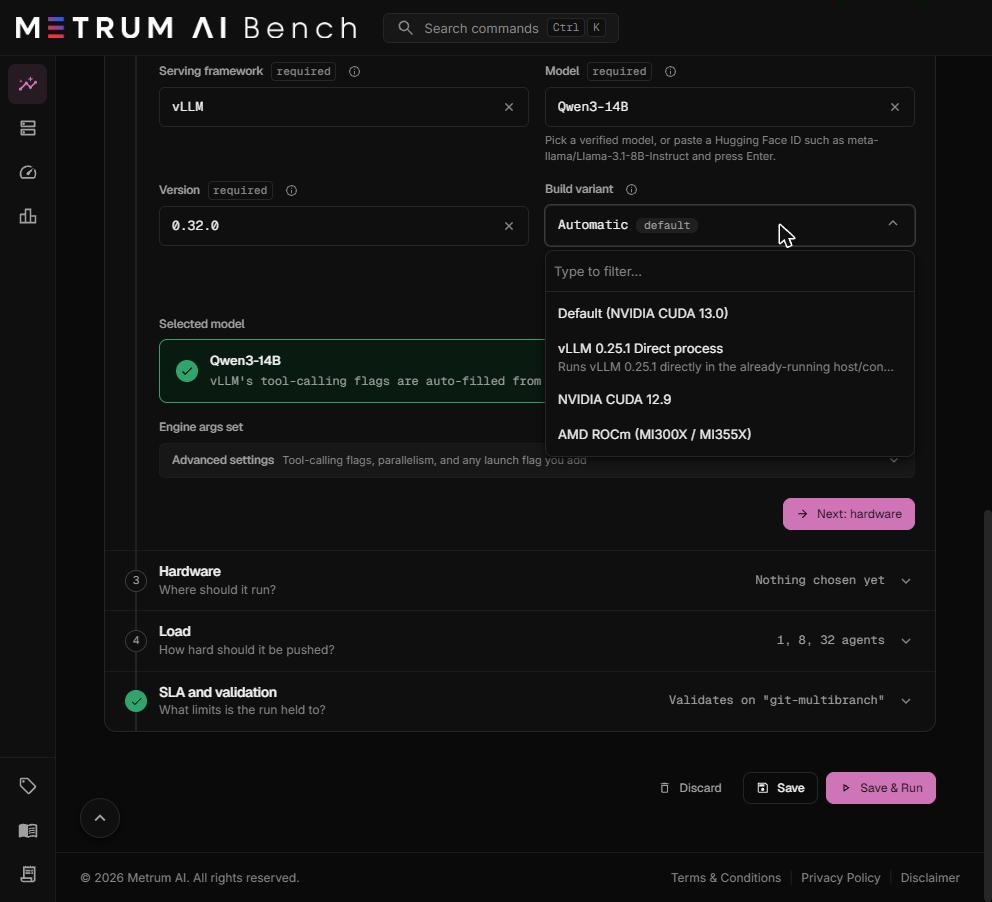
The container image that serves the model. Optional.
| Option | Use it when |
|---|---|
| Automatic (default) | Always, unless you need to pin a build. NVIDIA GPUs get the CUDA build. AMD GPUs get the ROCm build. |
| Default (NVIDIA CUDA 13.0) | You need the CUDA 13.0 image on NVIDIA GPUs. |
| NVIDIA CUDA 12.9 | Your NVIDIA driver is older than the 580 series, which CUDA 13.0 needs. |
| AMD ROCm (MI300X / MI355X) | You need to pin the ROCm image on AMD GPUs. |
| vLLM 0.25.1 Direct process | Not used by Agentic Bench runs. Leave it unselected. |
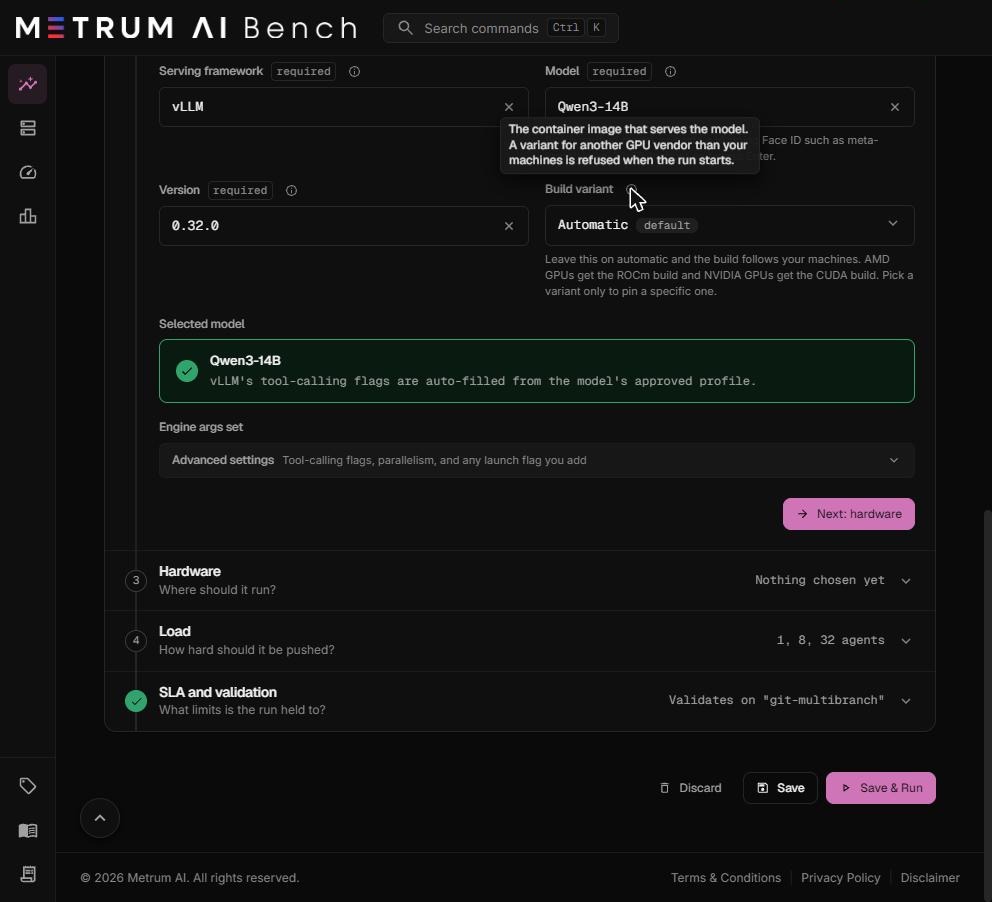
A build variant for a different GPU vendor than your machines is refused when the run starts.
Engine args
Under Advanced settings, Engine args lists the launch settings for vLLM. For a verified model, you do not need to open it.
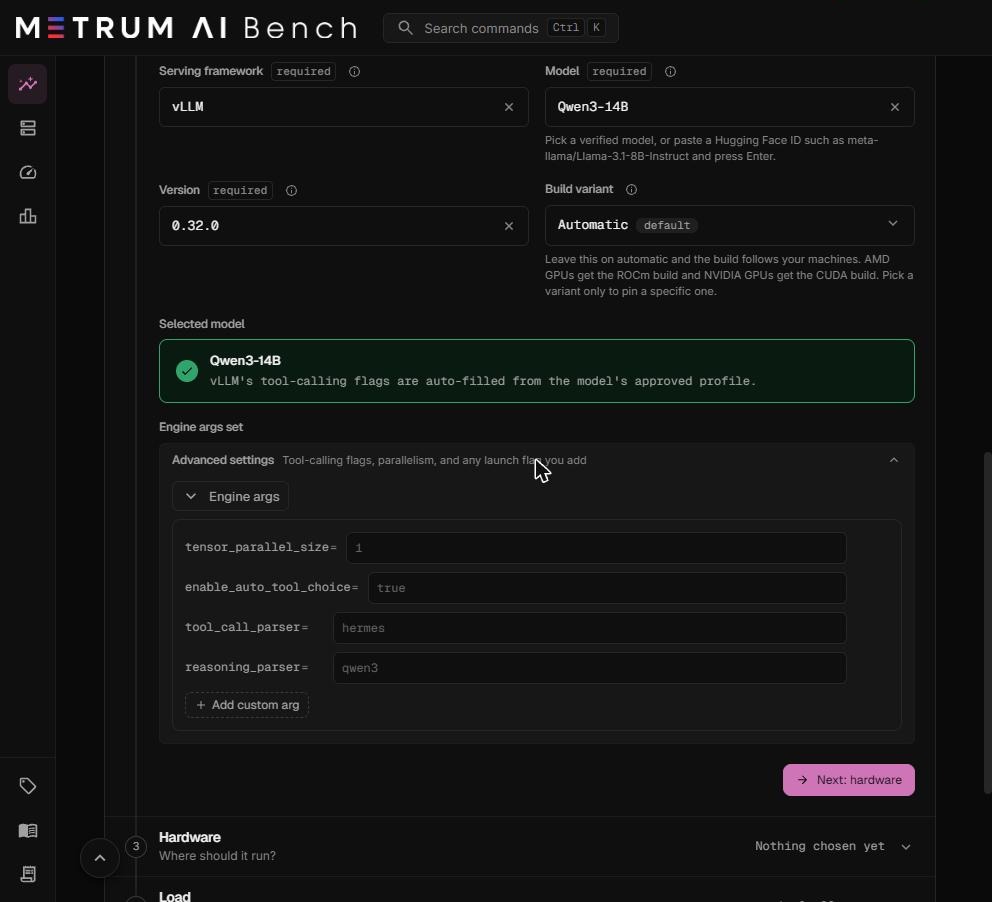
| Engine arg | What it does | Value for a verified model |
|---|---|---|
tensor_parallel_size | GPUs one model copy uses on a machine. Set it in Step 3, not here. | From Step 3 |
enable_auto_tool_choice | Lets the model decide when to call a tool. The agent requires it. | true |
tool_call_parser | How vLLM reads tool calls out of the model's output. | From the profile |
reasoning_parser | How vLLM separates the model's reasoning from its answer. | From the profile, when the model has one |
To add another vLLM launch flag, select Add custom arg, enter the flag name without leading dashes, and enter its value. For example, max_model_len = 32768 limits the context length. The label changes to Engine args (modified).
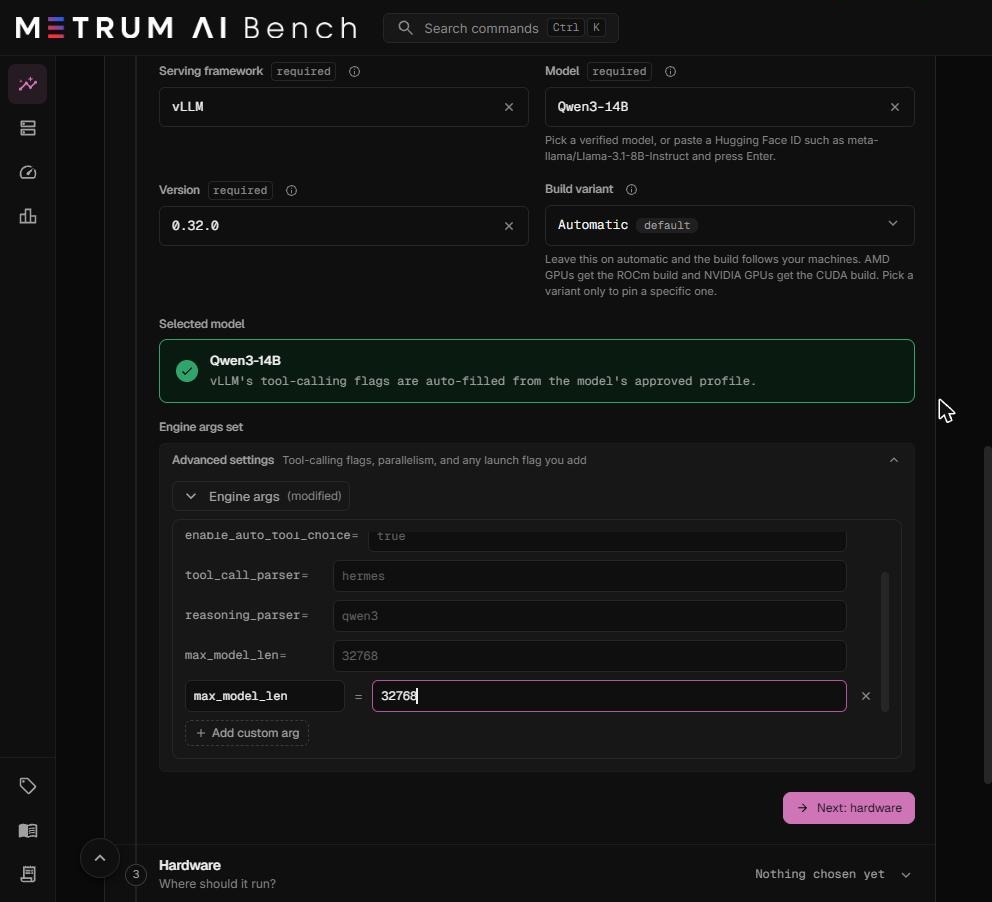
Do not remove enable_auto_tool_choice or tool_call_parser. The agent sends every request with automatic tool choice. Without these two settings, vLLM rejects the first request, and every trial fails.
Use a model that is not in the list
-
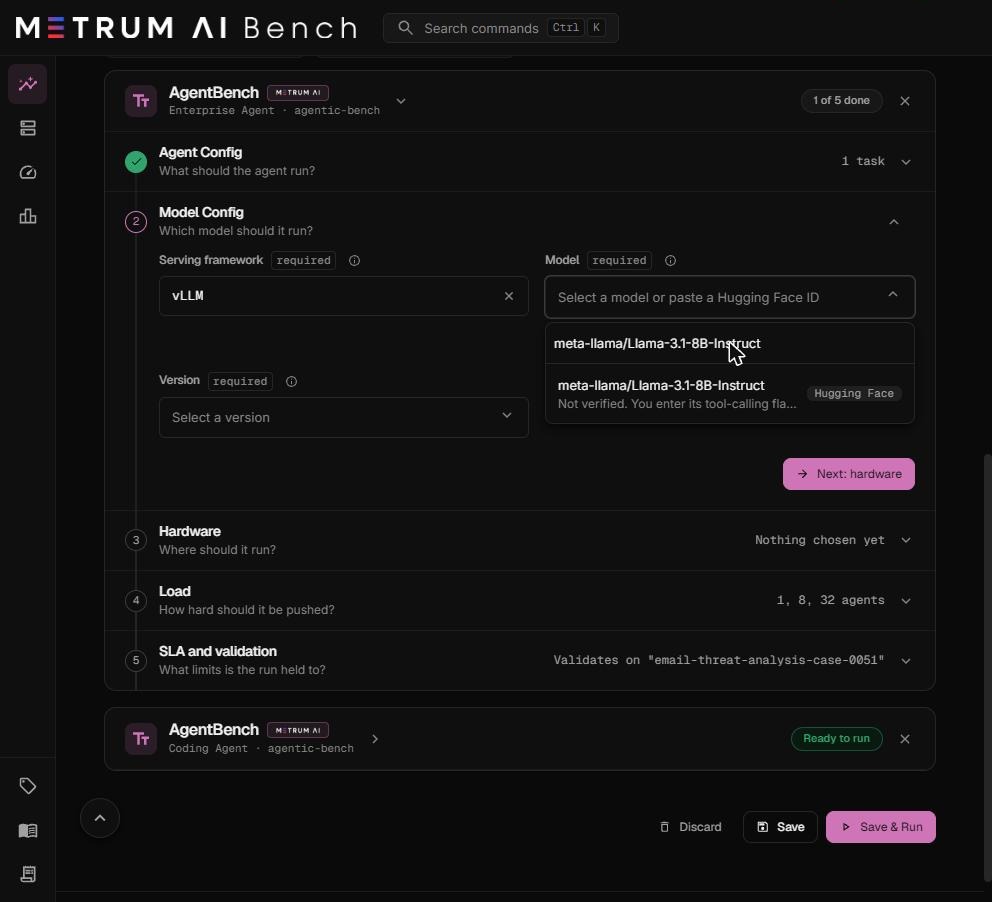
In Model, paste the Hugging Face ID, for example
meta-llama/Llama-3.1-8B-Instruct, and press Enter. -
Select the entry marked Hugging Face.
-
Read the Unverified model warning. The run cannot be saved until
tool_call_parserhas a value.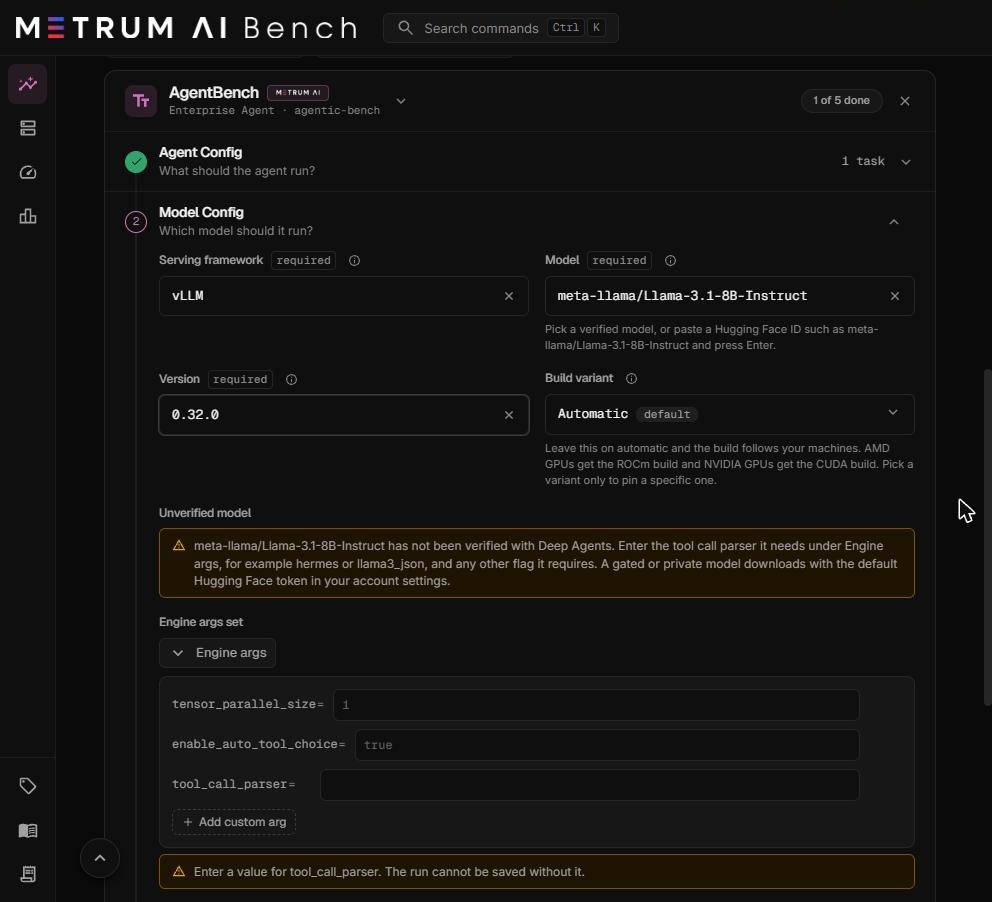
-
In
tool_call_parser, enter the parser the model needs. Check the model card and the vLLM tool calling documentation. Common values:hermesfor Qwen3 and Hermes-style models,llama3_jsonfor Llama 3.1 and later,mistralfor Mistral models.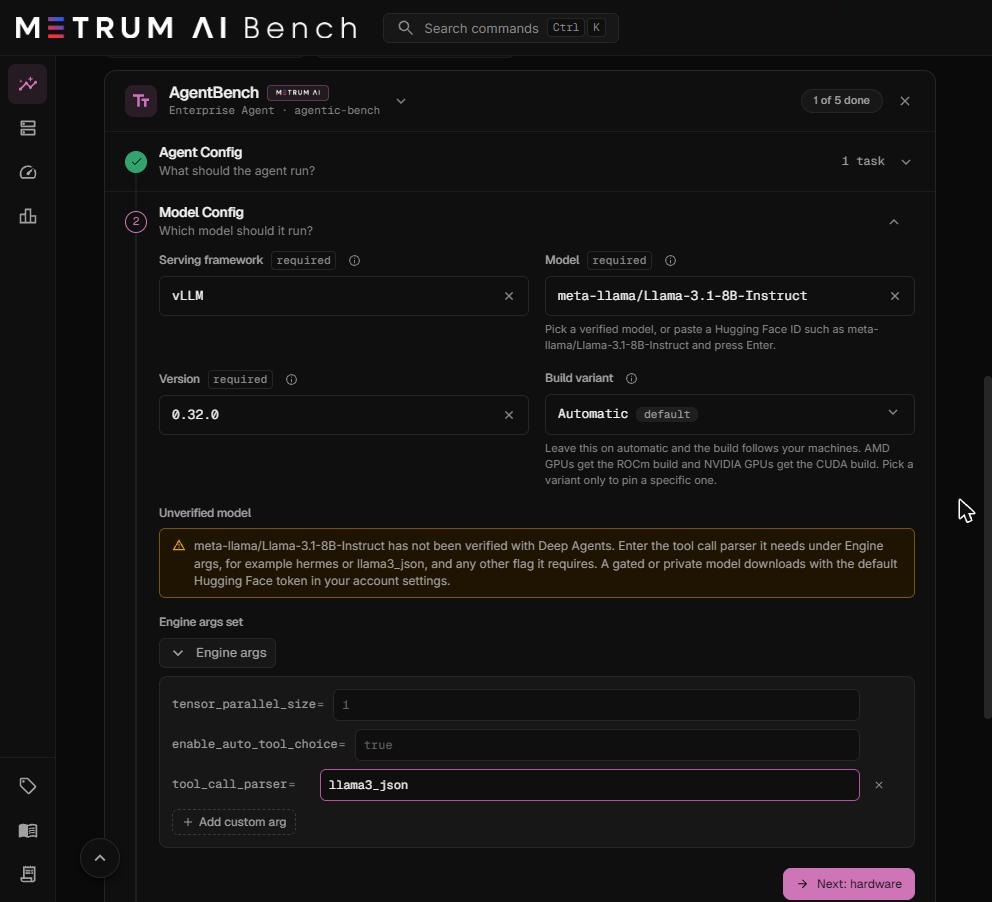
-
Add any other flag the model needs, for example
reasoning_parserfor a reasoning model, ortrust_remote_code=truefor a model with custom code.
A gated or private model downloads with the default Hugging Face token in your account settings. A wrong parser does not fail the save. It fails the validation trial, because the agent cannot read the model's tool calls. Validate a new model with a 1-agent run before a full sweep.
Step 3: Hardware
This step sets the machines, the GPU layout, and the resources of each agent sandbox. It has its own guide: Hardware, parallelism, and sandboxes.
The short version for a first run on one machine:
- Select a Cluster group that holds your machine, or create one.
- Set GPUs per node to the GPUs you want to use.
- Set Tensor parallel size to the smallest number of GPUs that holds the model.
- Keep Pipeline parallel size at 1, Sandbox CPUs on Unpinned, and the sandbox settings at their defaults.
Step 4: Load
This step sets how many agents run at once, and how many times each task is attempted.
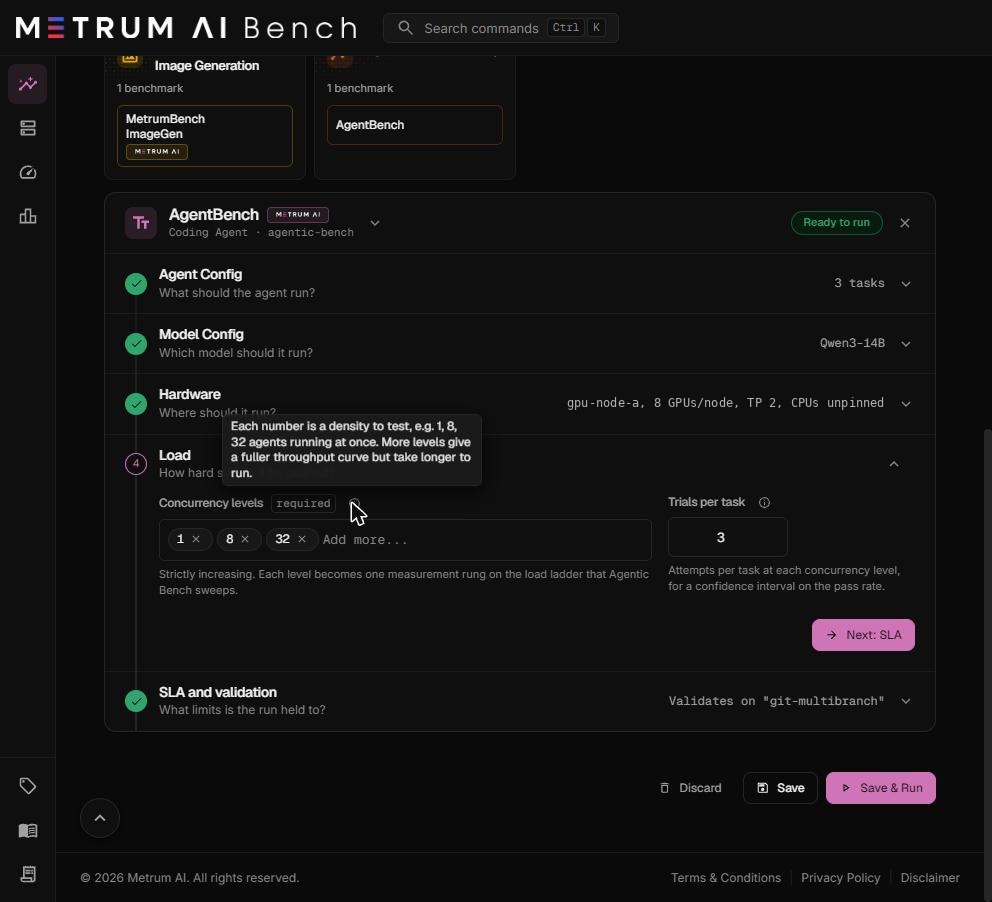
Concurrency levels
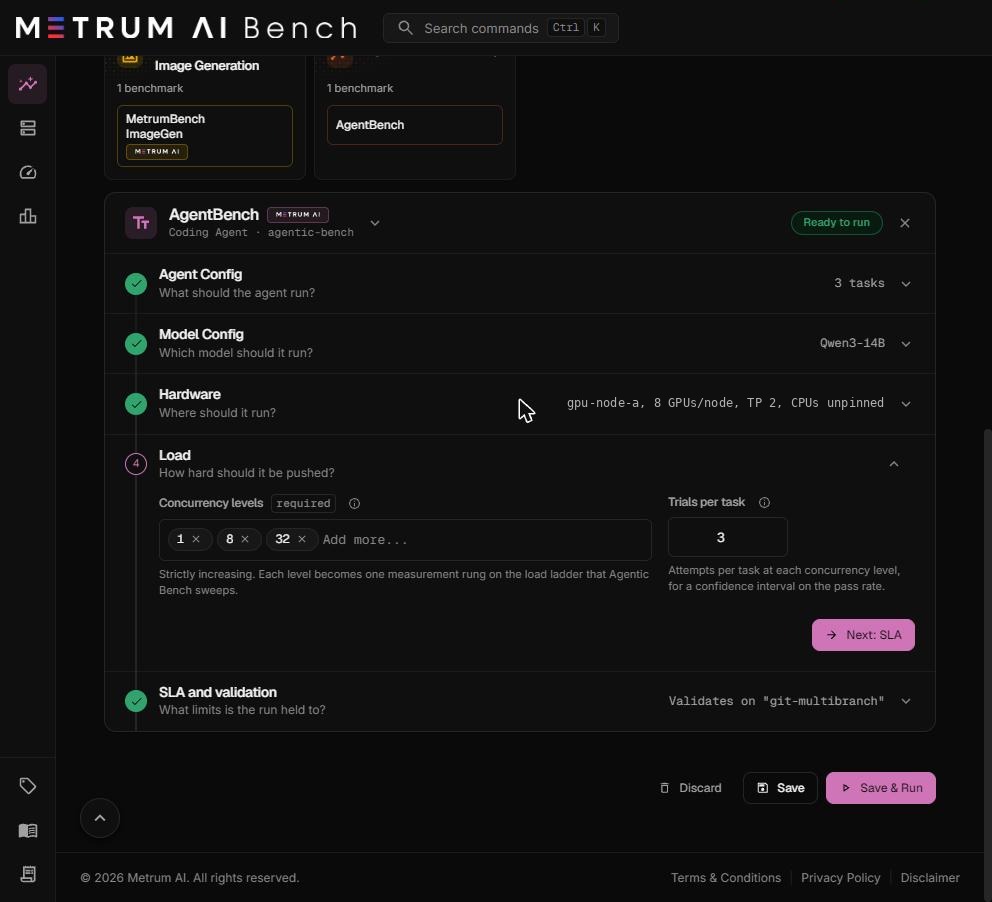
The agent counts to test. Required. Each number becomes one measurement level. Default: 1, 8, 32.
- Type a number and press Enter to add it. Select the × on a number to remove it.
- Each number must be a positive whole number. Each level is tested once, so duplicates are refused.
- The levels are sorted into increasing order for you.
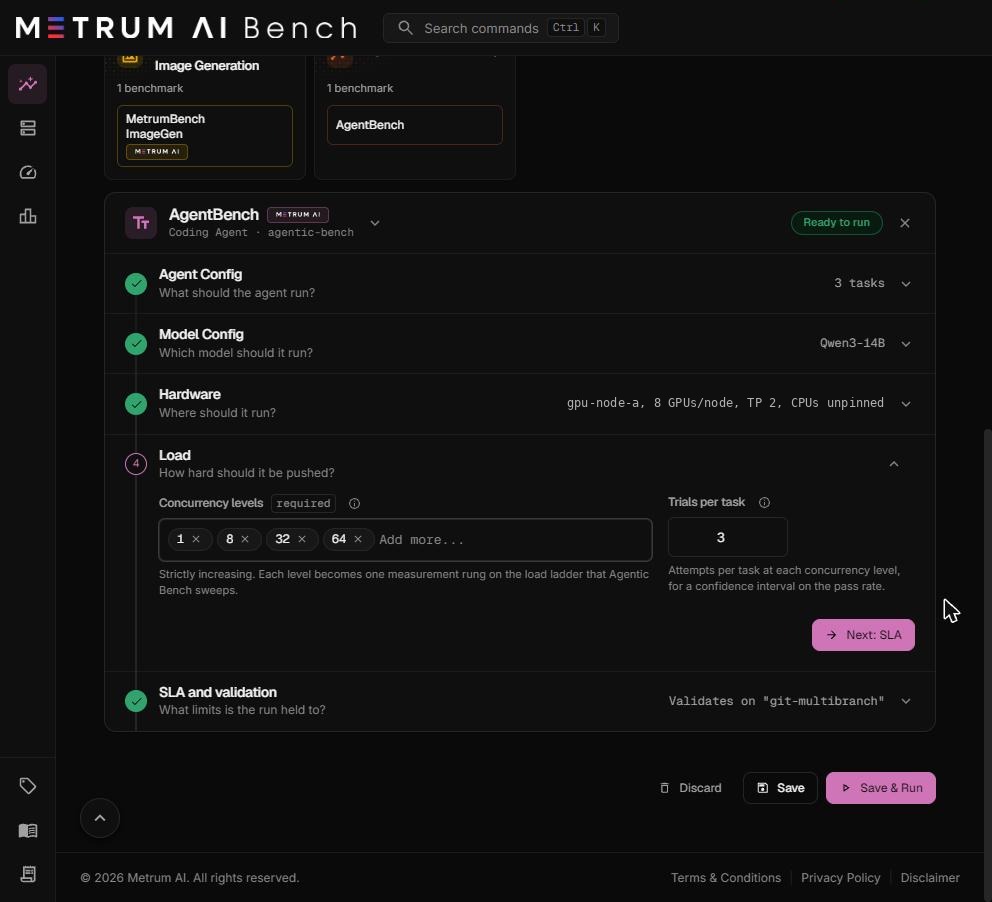
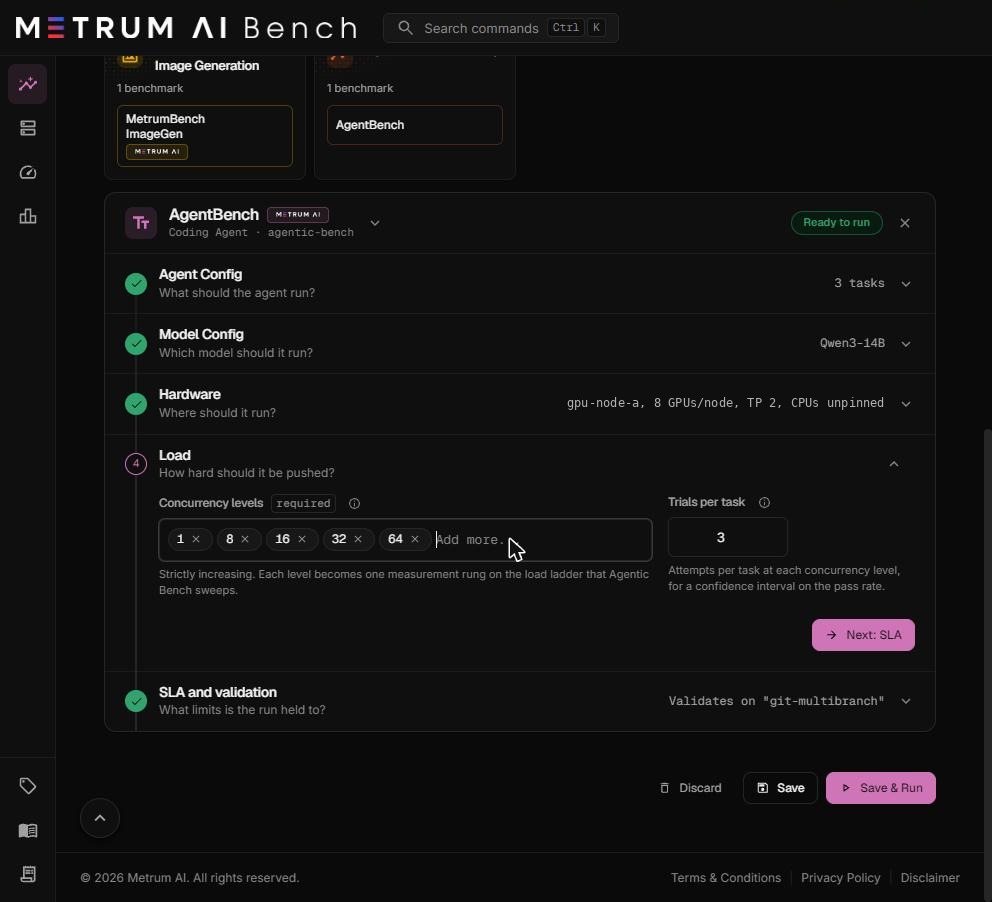
Every level you enter runs, in increasing order. The run does not stop early when a level misses the SLA. The report tells you which levels qualify.
Choosing levels. Start with a small set that brackets the answer, such as 1, 8, 32, 64. After the first run, add levels between the last level that qualified and the first that did not. More levels give a fuller curve and make the run longer.
Trials per task
How many times each task is attempted at each level. Default: 3. More trials give a tighter confidence interval on the pass rate and make the run longer.
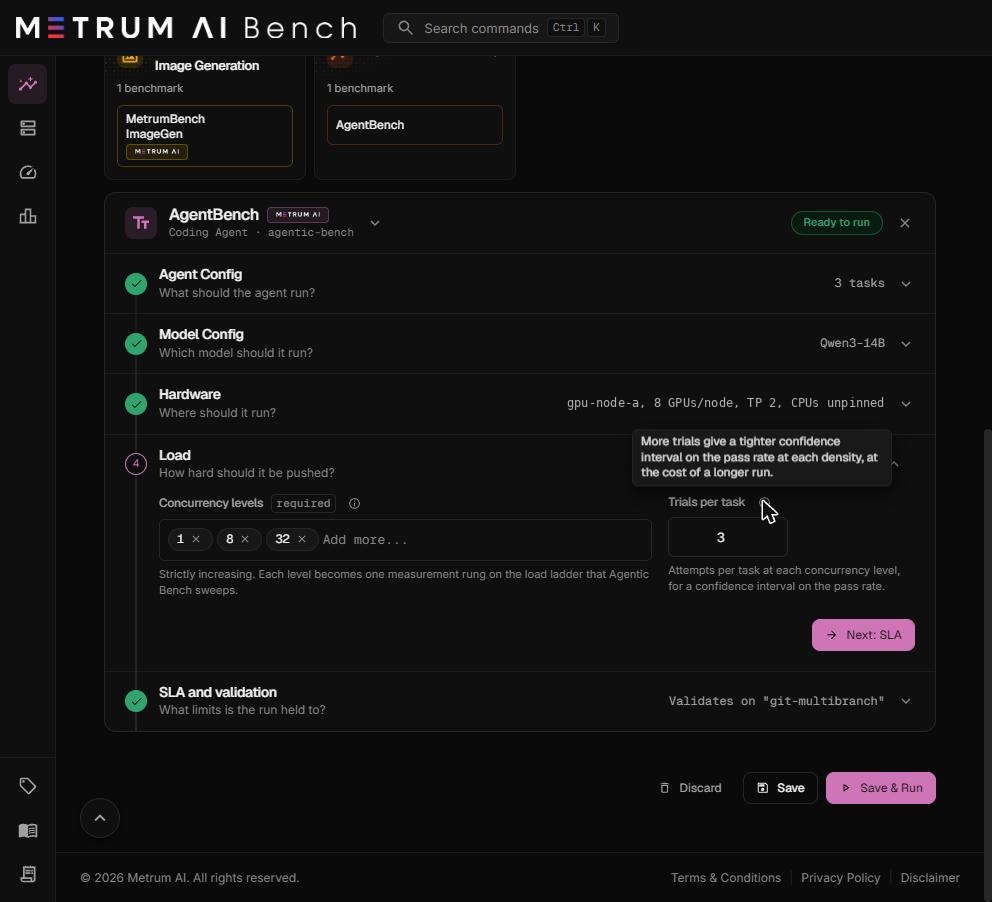
A level needs at least one trial for each agent, so the trial count rises with the level:
Trials at a level = number of tasks × the larger of (Trials per task) and (the level ÷ number of tasks, rounded up)
| Tasks | Trials per task | Level | Trials run |
|---|---|---|---|
| 3 | 3 | 1 agent | 9 |
| 3 | 3 | 8 agents | 9 |
| 3 | 3 | 16 agents | 18 |
| 3 | 3 | 32 agents | 33 |
| 3 | 3 | 64 agents | 66 |
| 1 | 3 | 1 agent | 3 |
| 1 | 3 | 32 agents | 32 |
At a level with fewer agents than trials, agents take the next trial as soon as they finish one. At the 1-agent level with 9 trials, the 9 trials run one after another.
Step 5: SLA and validation
This step sets the time limits for every trial and level, and the thresholds a level must meet to count as a valid operating point.
Validation task
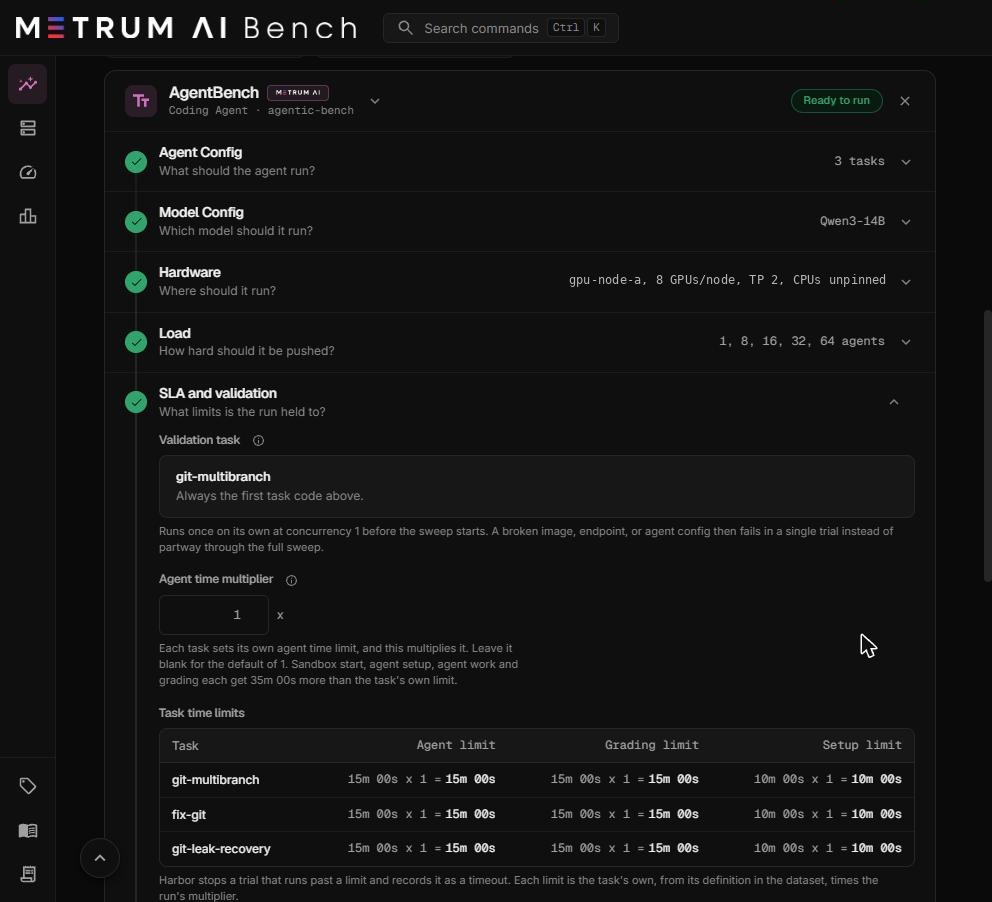
Read-only. Always the first task code from Step 1. It runs once, with one agent, before any measurement level. It uses the same model server, sandbox, and agent setup as the full sweep. A broken image, endpoint, or agent setting therefore fails in one trial, not partway through the sweep.
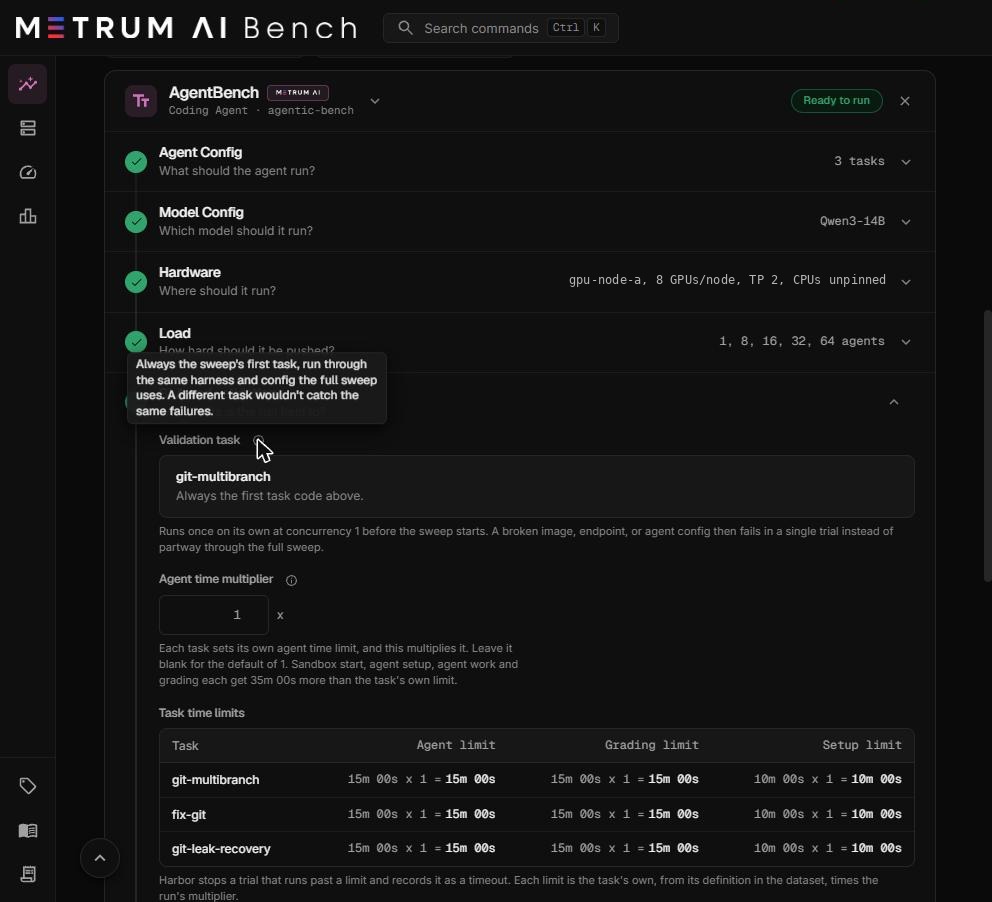
What happens after the validation trial:
| Validation result | What happens next |
|---|---|
| Passed | The measurement levels run. |
| The agent finished but failed the task, or the trial timed out | The measurement levels still run. The platform worked, so the sweep is kept. |
| The platform failed: the sandbox did not start, the model endpoint did not answer, or the grader could not run | The measurement levels are cancelled. Fix the cause shown on the stage tracker and run again. |
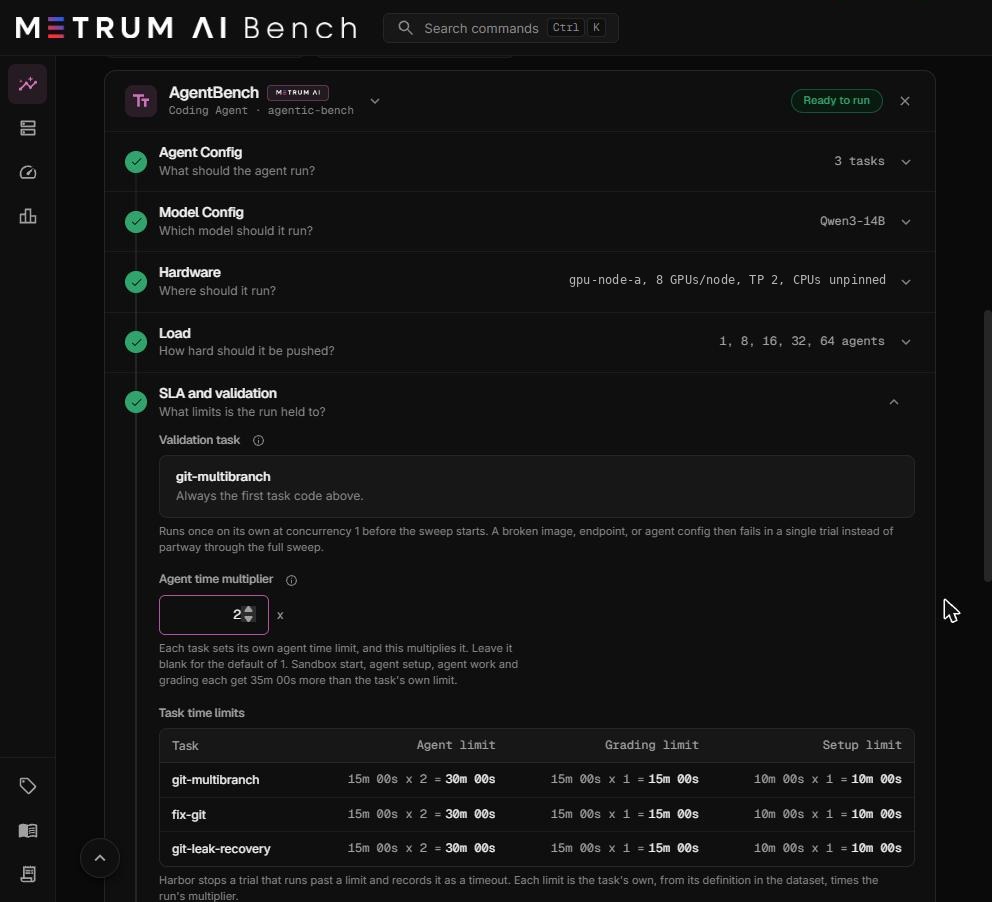
Agent time multiplier
Multiplies each task's own agent time limit. Default: 1. Allowed range: 1 to 576. Leave it blank for the default.
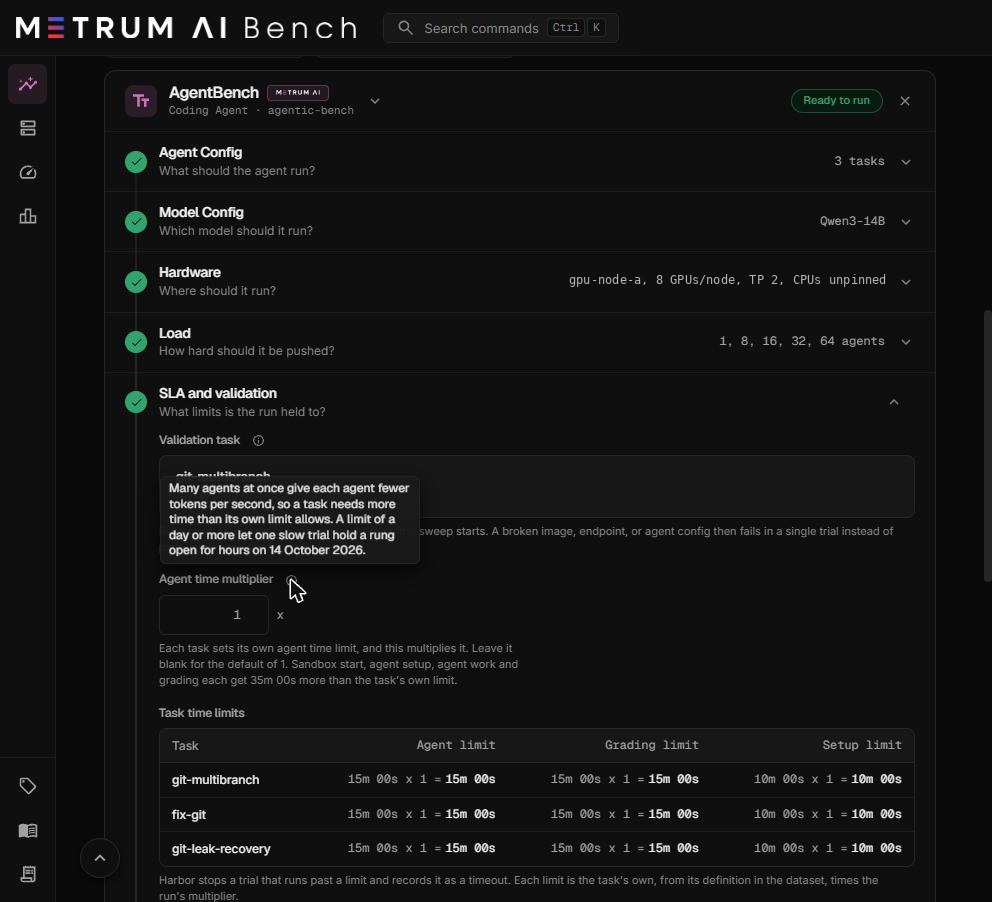
Many agents at once share one model server, so each agent gets fewer tokens per second, and a task needs more time than its own limit allows. Raise the multiplier for high levels or slow hardware.
- Only the agent limit is multiplied. The grading limit and the setup limit stay at the task's own values.
- Sandbox start, agent setup, agent work, and grading each get 35 minutes more than the task's own limit, as a safety allowance.
- A trial that runs past a limit is stopped and recorded as a timeout.
| Situation | Suggested multiplier |
|---|---|
| First run, low levels (1 to 32 agents) | 1 or 2 |
| Levels of 64 agents and above | 2 |
| A small GPU count serving hundreds of agents, or a prefill and decode split over TCP | Higher. Watch the Slowest trial column and the level limits it produces. |
Task time limits
Read-only. One row per task code: Agent limit (the task's own limit times your multiplier), Grading limit, and Setup limit. The table updates as you change the multiplier.
Level time limits
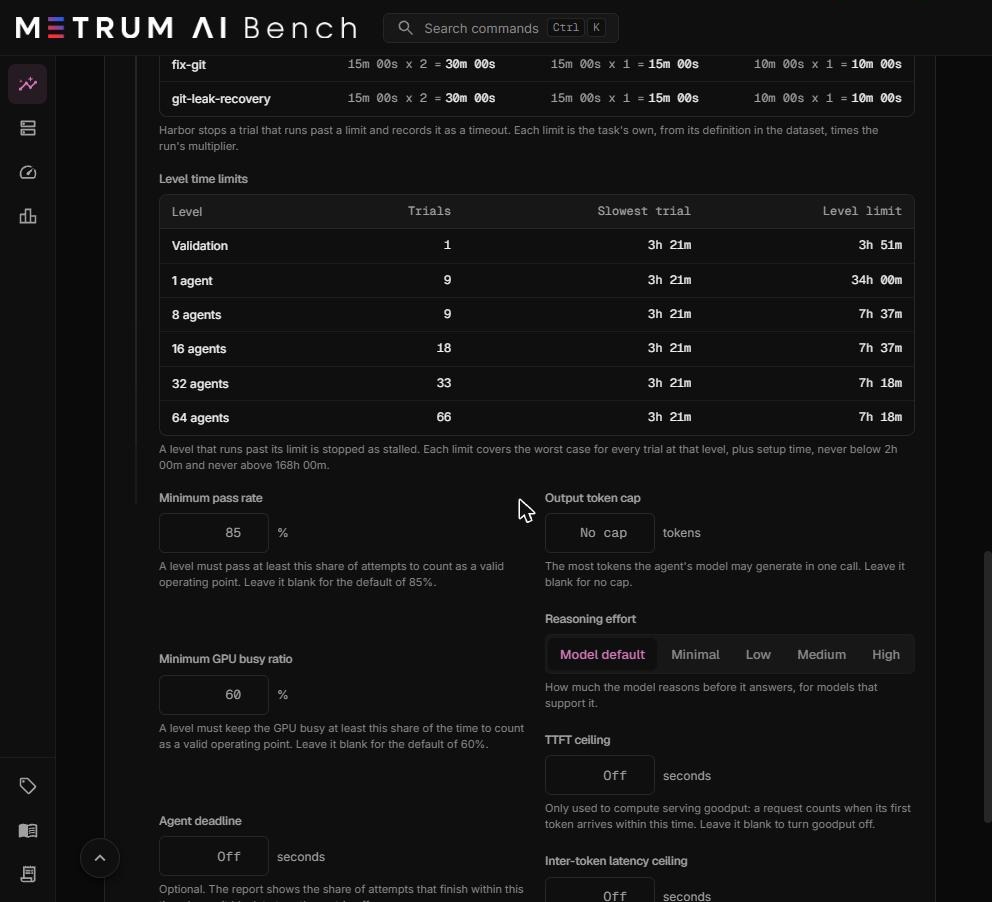
Read-only. One row for the validation trial and one for each concurrency level.
| Column | Meaning |
|---|---|
| Level | The validation trial or the number of agents. |
| Trials | Trials that run at this level. See Trials per task. |
| Slowest trial | The worst-case time of one trial: sandbox setup, 6 minutes of agent setup, agent work, and grading at their limits, plus the safety allowances. For a worked example, see Settings reference. |
| Level limit | The most time the level may take. A level that runs past it is stopped as stalled. |
Each level limit covers the worst case: every trial at its own ceiling, scheduled across the level's agents, plus setup time. It is never below 2 hours and never above 168 hours (7 days). These are ceilings, not estimates. A healthy level usually finishes in a small fraction of its limit. For example, a 64-agent level of fix-git finished in about 4 minutes in Metrum validation runs.
Thresholds and agent settings
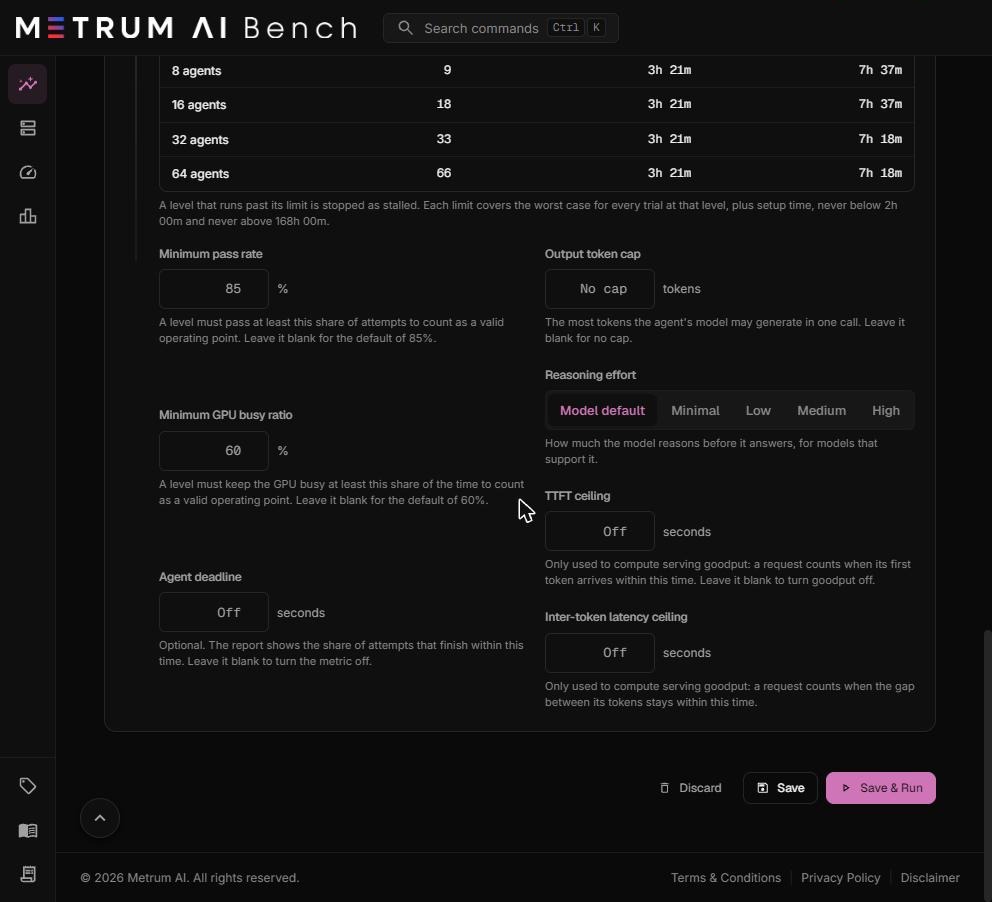
| Field | What it means | Default | Allowed values |
|---|---|---|---|
| Minimum pass rate | A level must pass at least this share of its graded trials to count as a valid operating point. Trials the platform lost, such as a sandbox that never started, are not graded and do not count against it. | 85% (Coding Agent), 75% (Enterprise Agent) | Greater than 0, up to 100% |
| Minimum GPU busy ratio | A level must keep the GPUs busy at least this share of the time to count as a valid operating point. On a prefill and decode split, only the decode machines' GPUs count. | 60% (Coding Agent), 40% (Enterprise Agent) | 0 to 100% |
| Agent deadline | Optional. The report shows the share of trials whose agent time, from the first model call to the last action, stayed within this many seconds. It does not stop any trial. | Off | Seconds, greater than 0 |
| Output token cap | The most tokens the model may generate in one call. | No cap | Tokens, greater than 0 |
| Reasoning effort | How much the model reasons before it answers, for models that support it. | Model default | Model default, Minimal, Low, Medium, High |
| TTFT ceiling | For serving goodput only. TTFT is time to first token: how long a model request waits for the first word of its answer. A request counts as good when its first token arrives within this time. | Off | Seconds, greater than 0 |
| Inter-token latency ceiling | For serving goodput only: a model request counts as good when the gap between its tokens stays within this time. | Off | Seconds, greater than 0 |
Leave a field blank to use its default. TTFT ceiling and Inter-token latency ceiling never fail a trial or a level. They only decide which model requests count toward the serving goodput figure in the report.
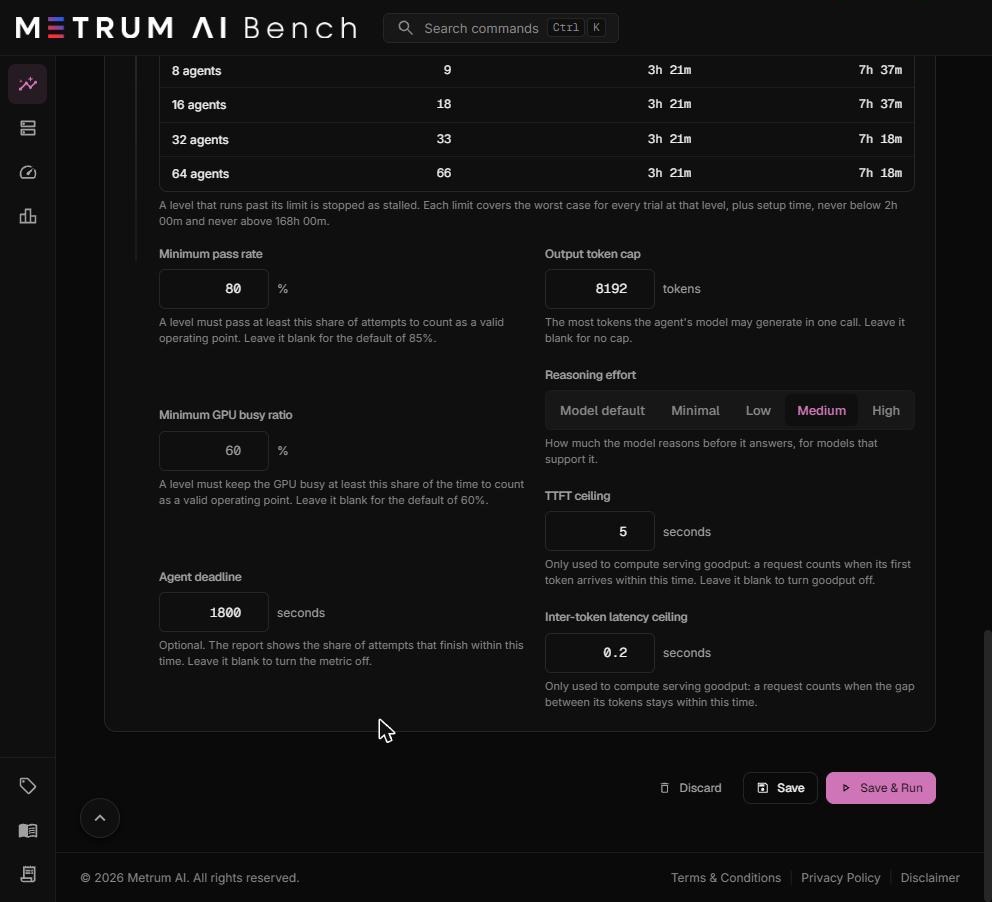
The example above sets an 80% pass rate, a 1,800-second agent deadline, an 8,192-token output cap, medium reasoning effort, a 5-second TTFT ceiling, and a 0.2-second inter-token latency ceiling.
Output token cap and Reasoning effort change how the agent behaves, so they change the pass rate. Keep them the same across runs you compare.
Save and run
| Button | What it does |
|---|---|
| Save & Run | Checks the hardware and your plan, saves the project, and starts its runs. It needs an active plan. |
| Save | Saves the project without running it. A project name is required. |
| Discard | On a new project, clears every change. On a saved project, reloads the saved version. |
A project that has already run opens as a copy. Its buttons read Save as New and Save as New & Run. They save your changes as a new project, and the original project and its results stay as they are.
Runs on the same cluster group queue. A run waits for its cluster group while another run uses it, and while the previous run's cluster is being torn down. The monitoring page shows how many runs are ahead.
Settings belong to the run. The sandbox CPU mode, the prefill and decode split, and the serving and sandbox settings are stored with each run. Editing the project later does not change a run that is already queued.