Split prefill and decode across machines
A prefill and decode split runs the model as two kinds of engine on different machines. Prefill machines read each prompt and build its KV cache. Decode machines receive that KV cache over the network and generate the answer. Agent workloads send long prompts that grow with every turn, so separating the two phases can change how many agents the hardware serves.
The split is an option of Step 3, Hardware, on a Coding Agent or Enterprise Agent workload.
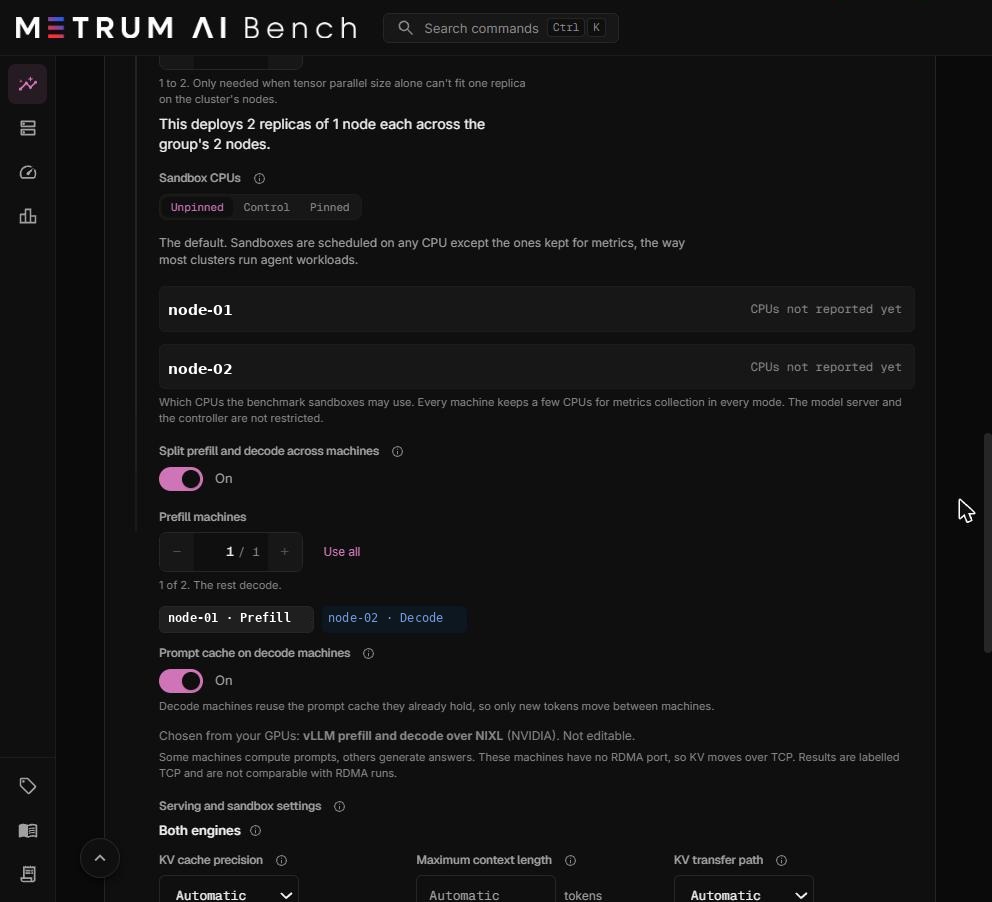
Requirements
The switch stays off, with the reason shown under it, until every requirement holds.
| Requirement | The message when it does not hold |
|---|---|
| A cluster group is chosen. | "Choose a cluster group first." |
| The group has at least two machines. | "This cluster group has fewer than two machines. A prefill and decode split needs at least two." |
| Every machine has reported its GPUs. | The message names the machine. Start its Metrum agent so it registers its hardware. |
| Every machine has the same GPU vendor. | "This cluster group mixes … GPUs. A prefill and decode split runs on one GPU vendor." |
| Pipeline parallel size is 1. | "A split runs one engine per machine. Set pipeline parallel to 1 and use tensor parallel within each machine." |
| Tensor parallel size equals GPUs per node. | "A split runs one engine per machine, so tensor parallel must equal the N GPUs each machine uses." |
| The serving framework is vLLM. | The split uses vLLM's NIXL connector. |
| Your plan includes Distributed KV runs. | "Distributed KV runs are not included in your current plan." |
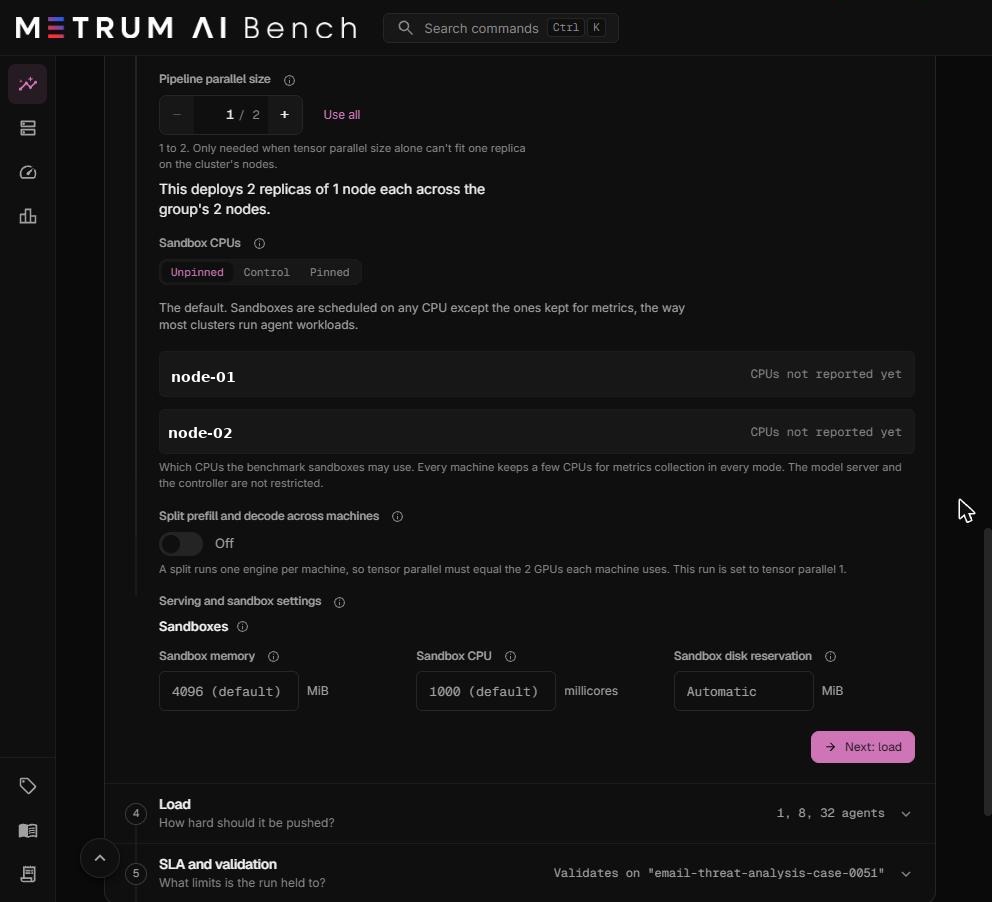
Tensor parallel size must equal GPUs per node, and pipeline parallel size must be 1. Each machine runs exactly one engine that uses every GPU the run uses on that machine. This keeps the split comparable with a run without a split on the same hardware: both use the same GPUs on every machine.
Turn on the split
- In Step 3, choose a cluster group with two or more machines of one GPU vendor.
- Set GPUs per node, then set Tensor parallel size to the same number. Select Use all on both for the simplest case.
- Keep Pipeline parallel size at 1.
- Turn on Split prefill and decode across machines.
- In Prefill machines, set how many machines compute prompts. The rest decode. At least one machine always decodes.
- Check the role chips. The first machines of the group, in the order they were added, are prefill machines.
- Choose whether the decode machines keep a prompt cache. See Prompt cache on decode machines.
- Read the line under the chips. It names the transfer stack and whether KV moves over RDMA or TCP.
| Field | What it means | Default | Allowed values |
|---|---|---|---|
| Prefill machines | How many machines compute prompts. | 1 | 1 to the number of machines minus 1 |
| Prompt cache on decode machines | Whether decode engines reuse the prompt cache they already hold. | On | On, Off |
The transfer stack is chosen from your GPUs and is not editable. Every GPU vendor uses vLLM prefill and decode over NIXL.
How KV moves between machines
| Transport | When it is used | Result label |
|---|---|---|
| RDMA (remote direct memory access): network cards copy memory between machines without using their CPUs | Every machine in the group has an active RoCE v2 network port. RoCE v2 carries RDMA over Ethernet. | RDMA |
| TCP | At least one machine has no active RoCE v2 port. | TCP |
There is nothing to choose. The run records the transport on every level.
TCP is much slower than RDMA for KV transfer. Results over TCP are labelled TCP and are not comparable with RDMA runs. Compare a TCP split only with another TCP split.
Prompt cache on decode machines
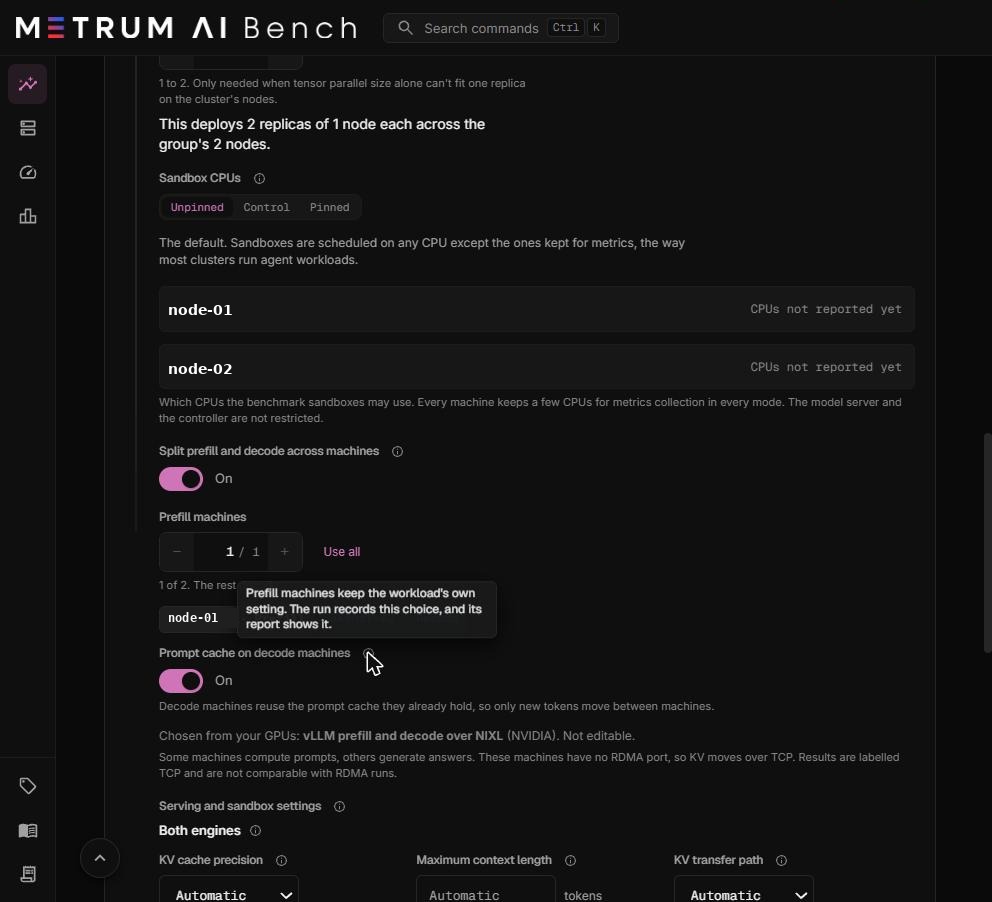
| Setting | What happens | Use it for |
|---|---|---|
| On (default) | Decode machines reuse the prompt cache they already hold, so only the new tokens of each turn move between machines. | Normal capacity measurement. |
| Off | Decode machines keep no prompt cache, so every request pulls the KV cache of its whole prompt from prefill. Time to first token rises. | Loading the network on purpose, to test the KV transfer path. |
Prefill machines always keep the workload's own prompt cache setting. The run records this choice, and the report shows it.
Engine settings
With the split on, Serving and sandbox settings shows three groups of engine settings above Sandboxes. Leave a field empty to use Automatic.
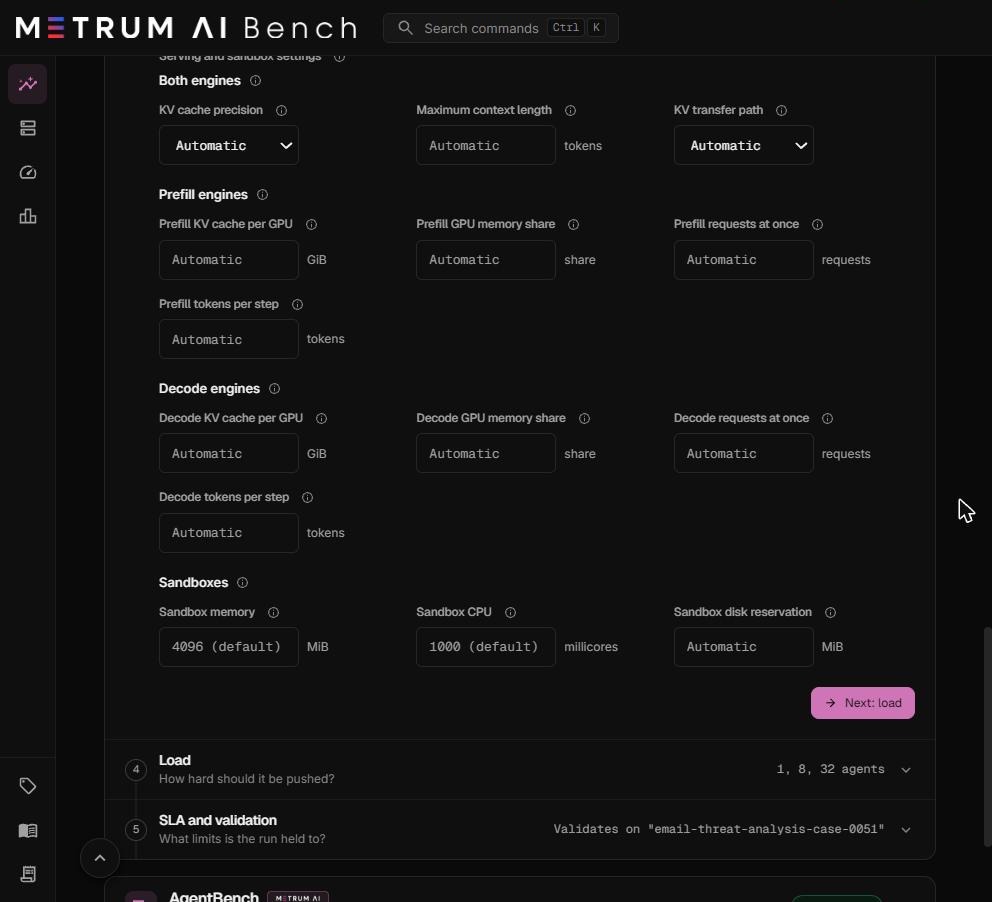
Both engines
Prefill and decode always share these settings, because KV moves between them byte for byte.
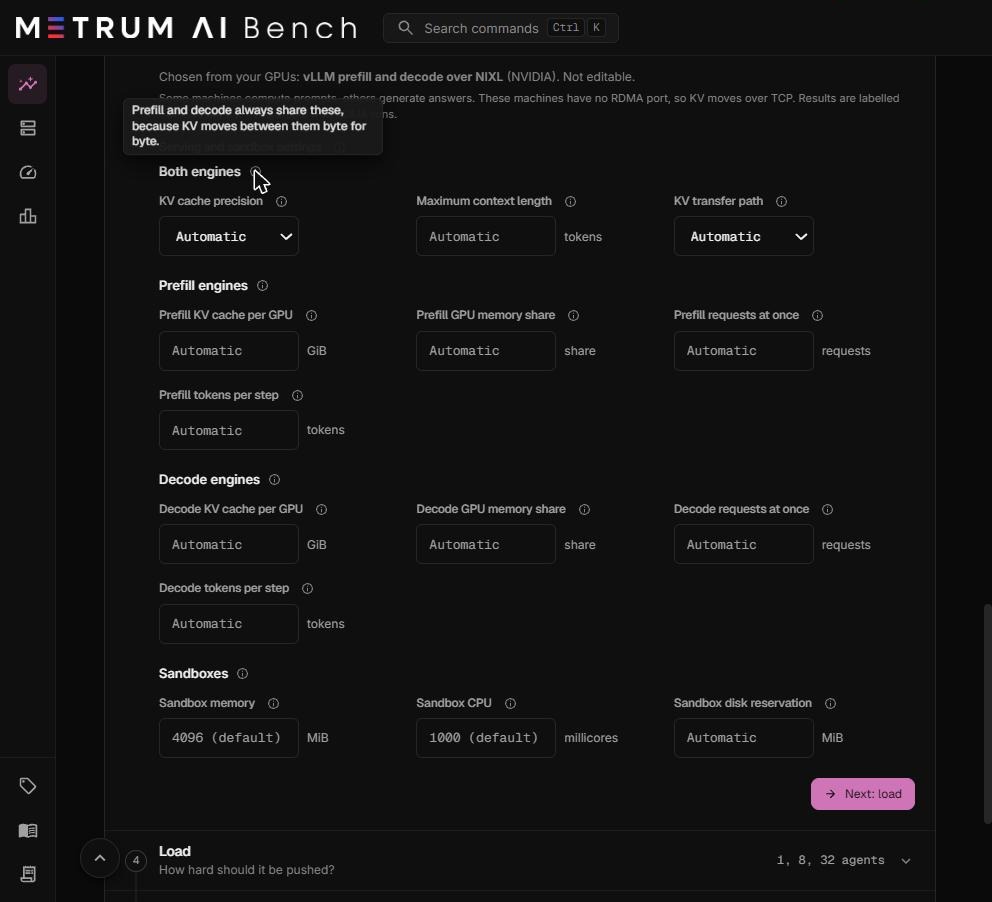
| Setting | What it means | Options |
|---|---|---|
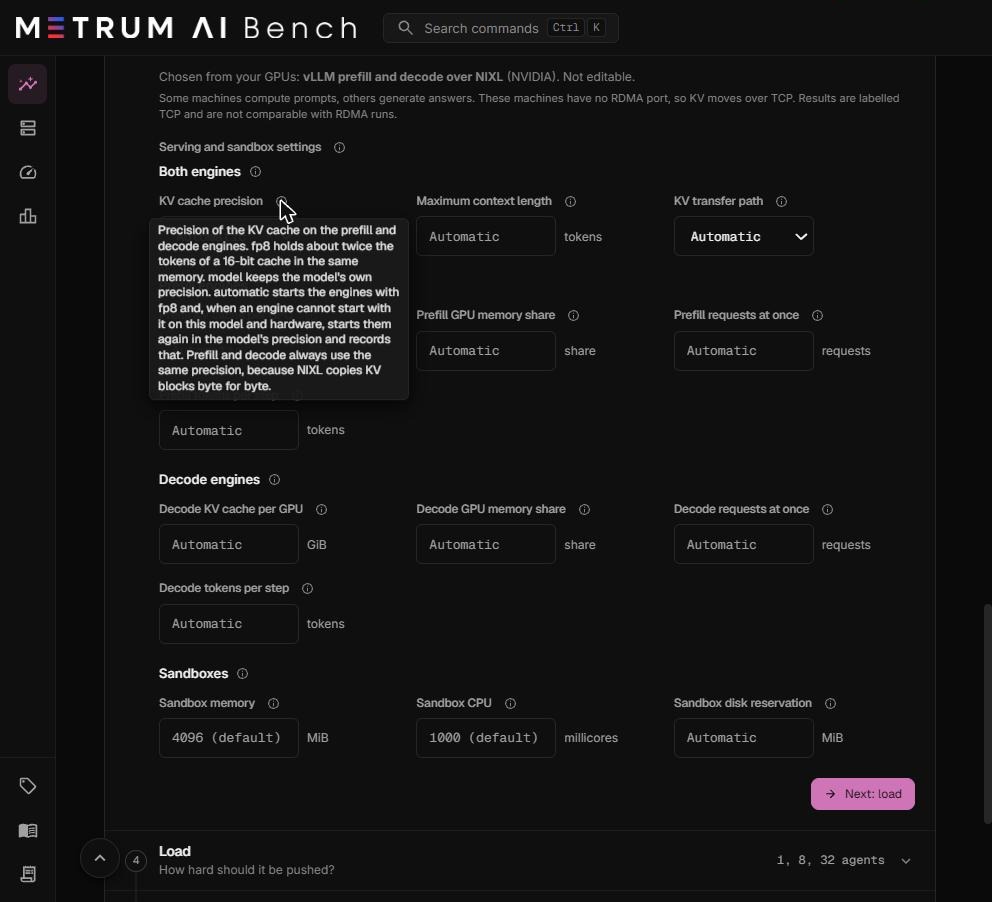
| KV cache precision | The number format of the KV cache. FP8 holds about twice as many tokens as a 16-bit cache in the same memory. | Automatic (default): starts with FP8, and when an engine cannot start with FP8 on this model and hardware, starts again in the model's own precision and records that. FP8. Model's own precision. |
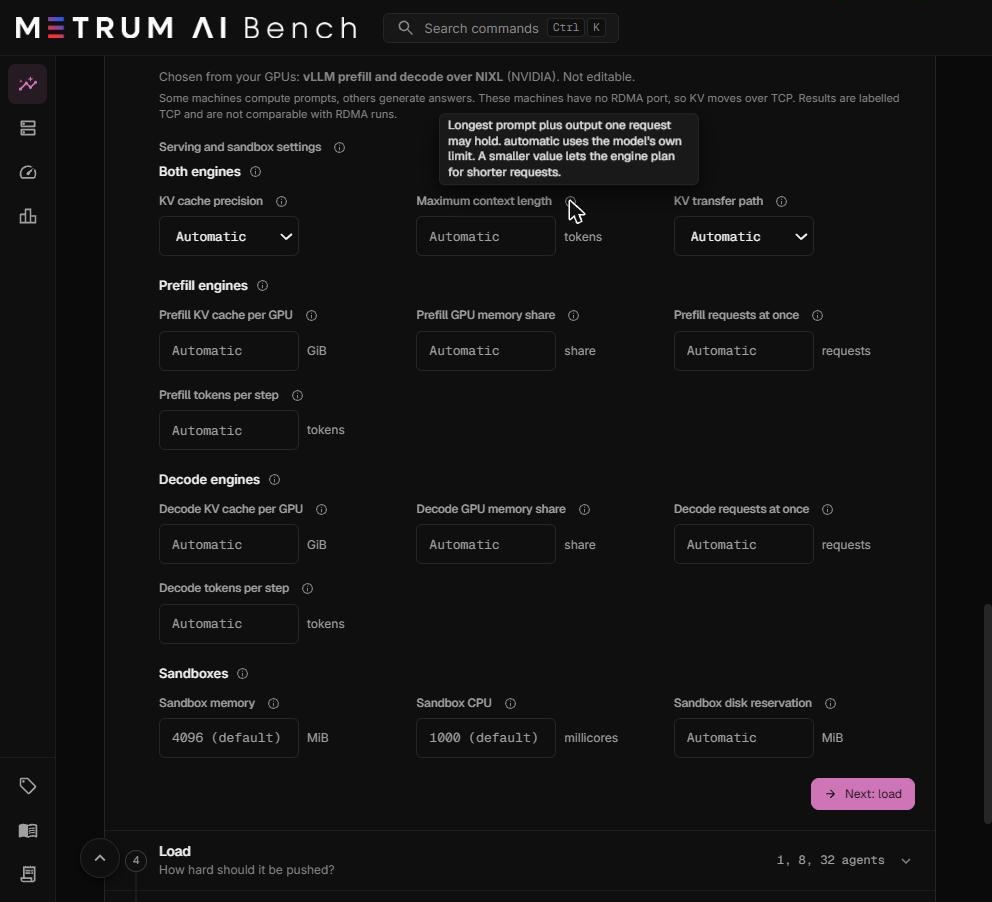
| Maximum context length | The longest prompt plus output that one request may hold, in tokens. | Automatic (default): the model's own limit. Or 1,024 to 10,000,000 tokens. A smaller value lets the engine plan for shorter requests. |
| KV transfer path | How KV moves from prefill to decode over RDMA. | Automatic (default). GPU to GPU over RDMA: the network card reads and writes GPU memory directly, the fastest path. Through host memory: KV is copied through a host buffer, slower, and it allows the largest KV cache. |
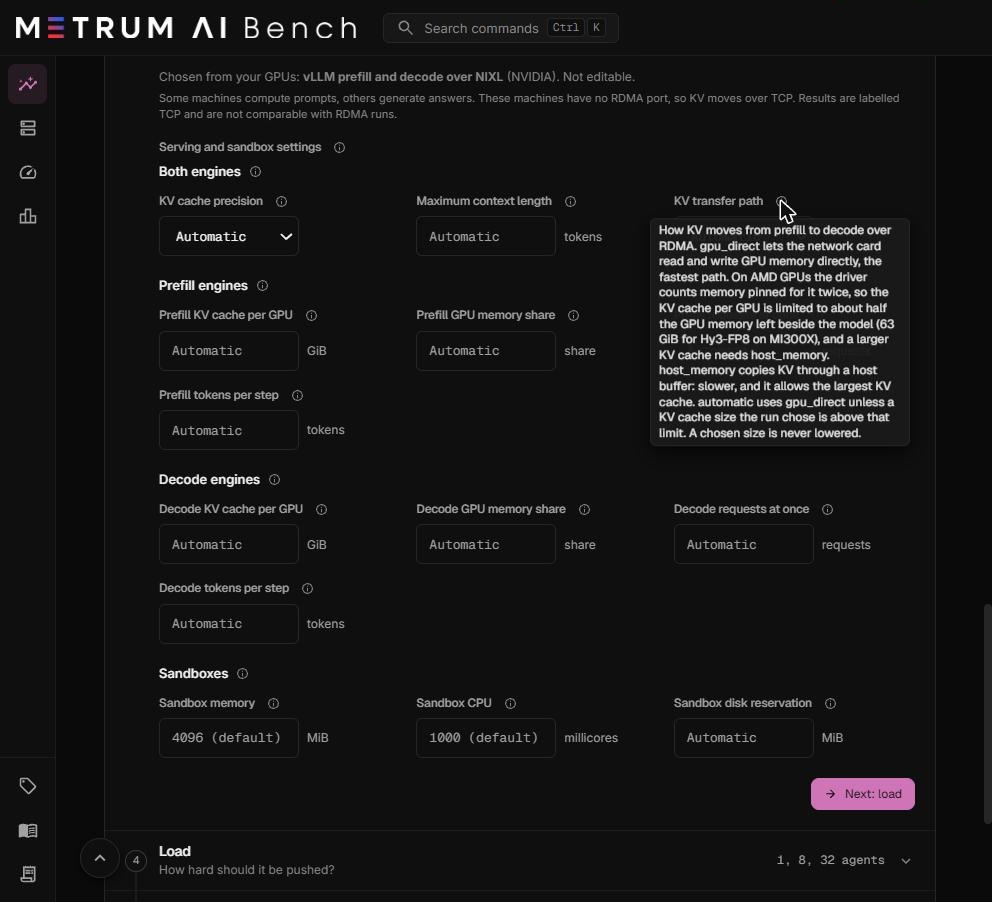
KV transfer path on AMD GPUs. On AMD GPUs, the driver counts memory pinned for GPU to GPU transfer twice. The KV cache per GPU is therefore limited to about half the GPU memory left beside the model weights. A larger KV cache needs Through host memory. Automatic uses GPU to GPU over RDMA unless the KV cache size you chose is above that limit. A size you choose is never lowered.
Prefill engines
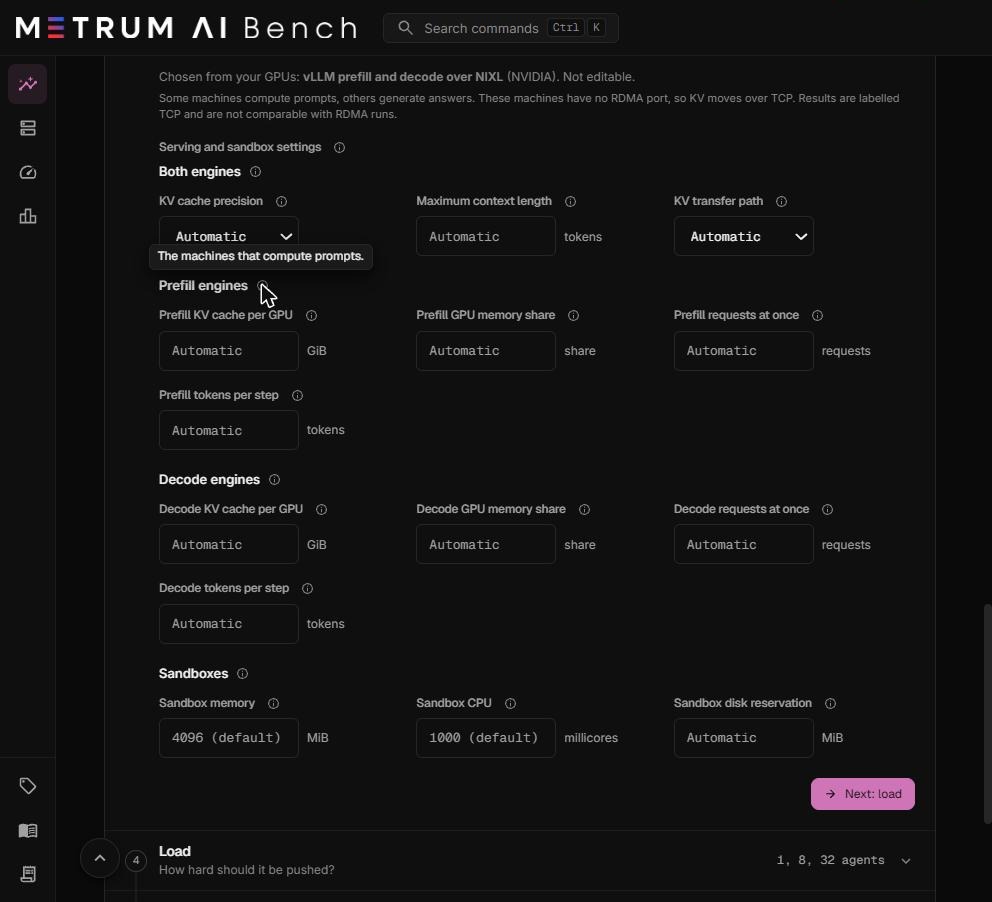
The machines that compute prompts.
| Setting | What it means | Allowed values |
|---|---|---|
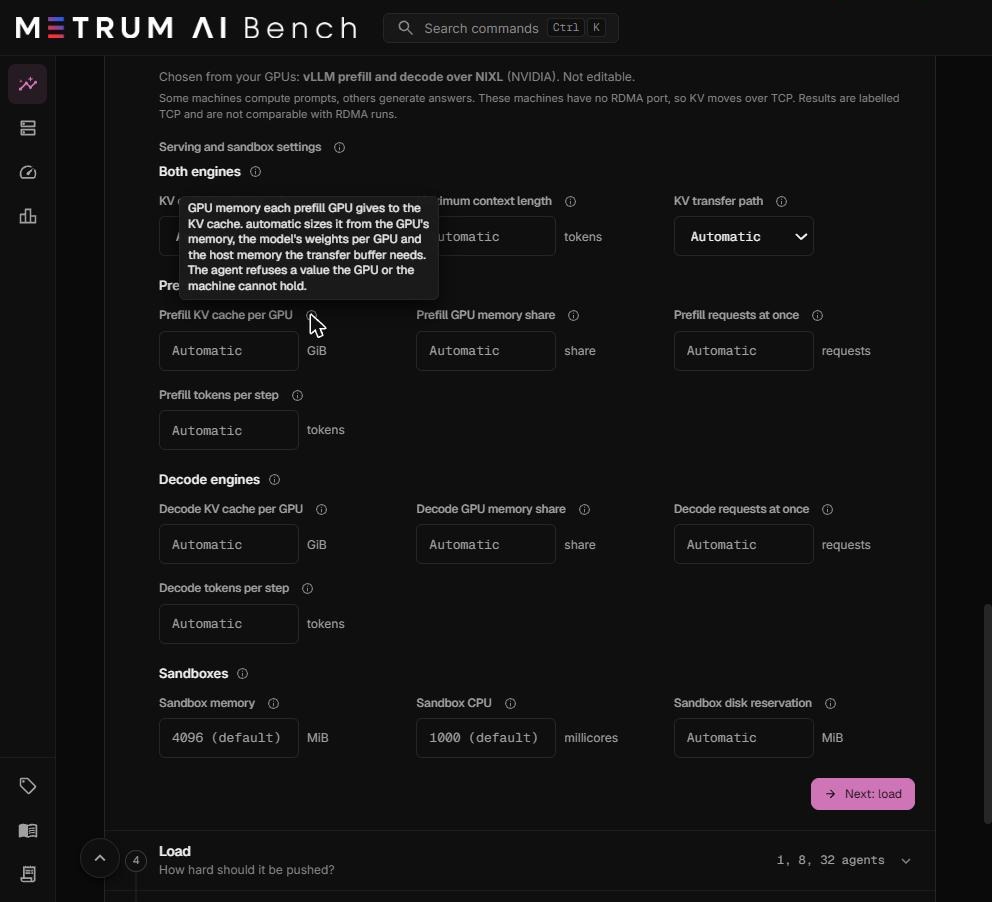
| Prefill KV cache per GPU | GPU memory each prefill GPU gives to the KV cache. Automatic sizes it from the GPU's memory, the model's weights per GPU, and the host memory the transfer buffer needs. A value the GPU or the machine cannot hold is refused. | 1 to 100,000 GiB |
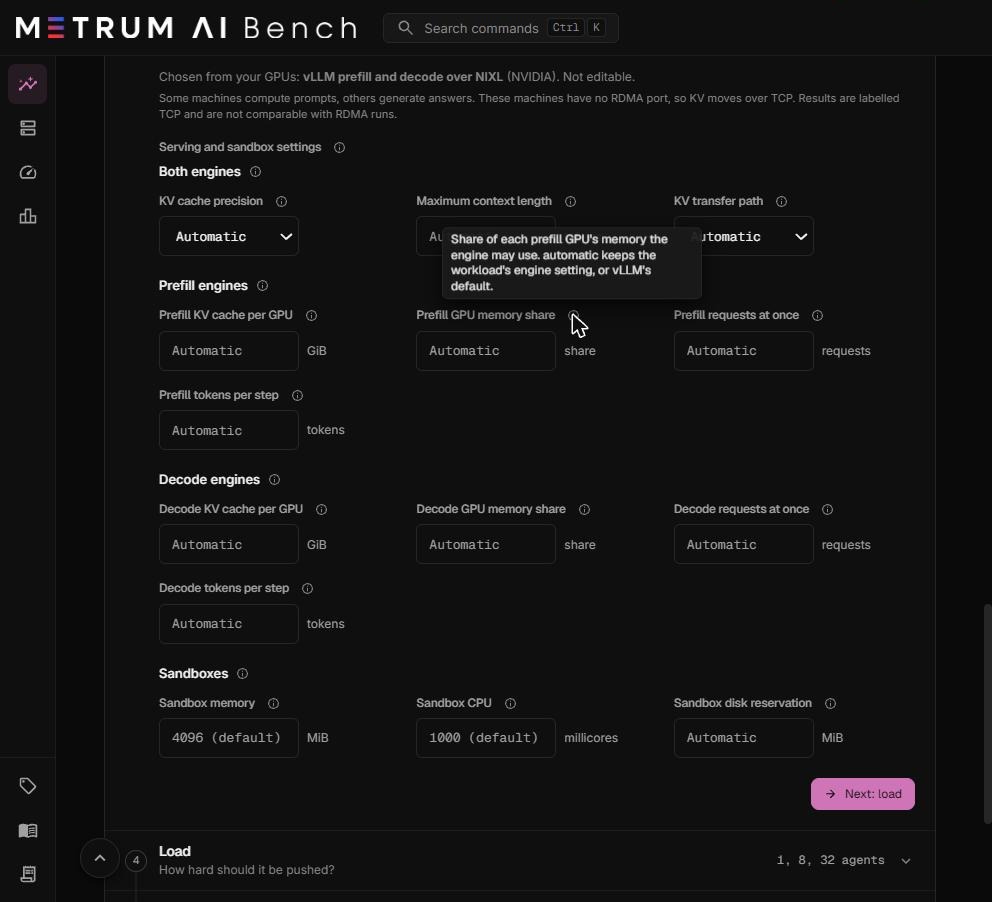
| Prefill GPU memory share | The share of each prefill GPU's memory the engine may use. Automatic keeps the workload's engine setting, or vLLM's default. | 0.10 to 0.99 |
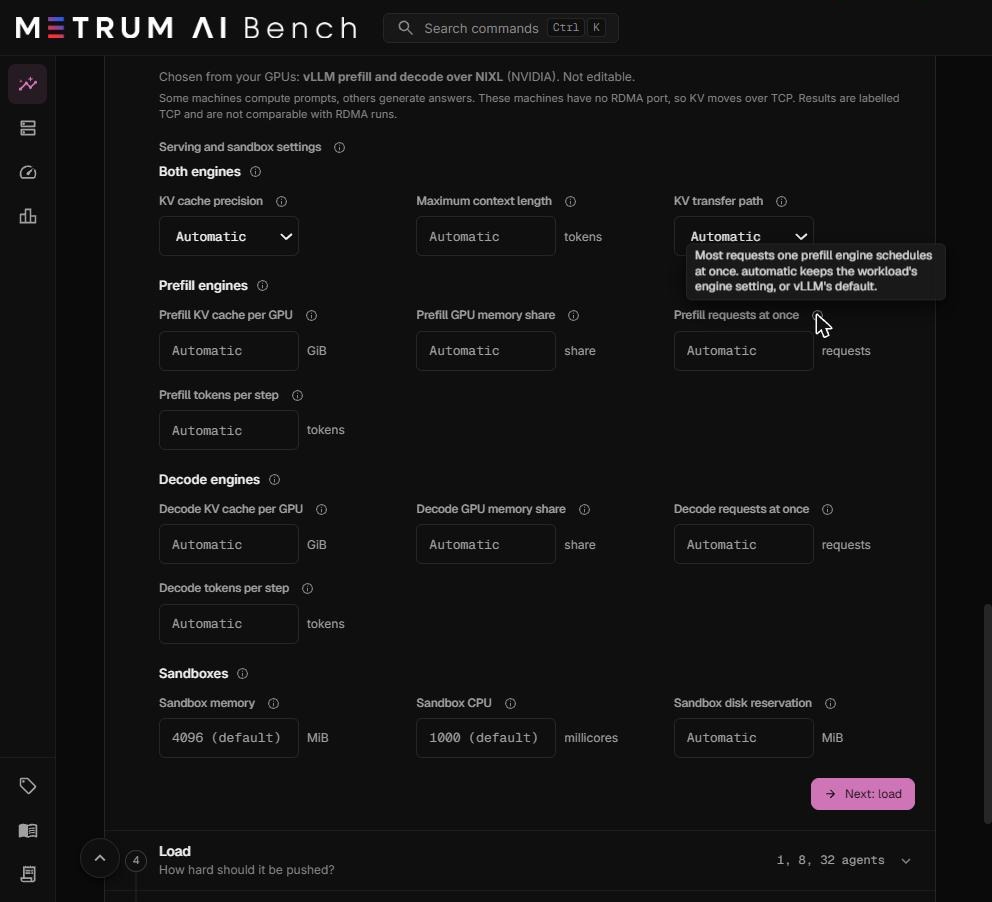
| Prefill requests at once | The most requests one prefill engine schedules at once. Automatic keeps the workload's engine setting, or vLLM's default. | 1 to 100,000 |
| Prefill tokens per step | The most tokens one prefill engine step processes. Larger values raise prefill throughput on long prompts and use more activation memory. | 16 to 10,000,000 |
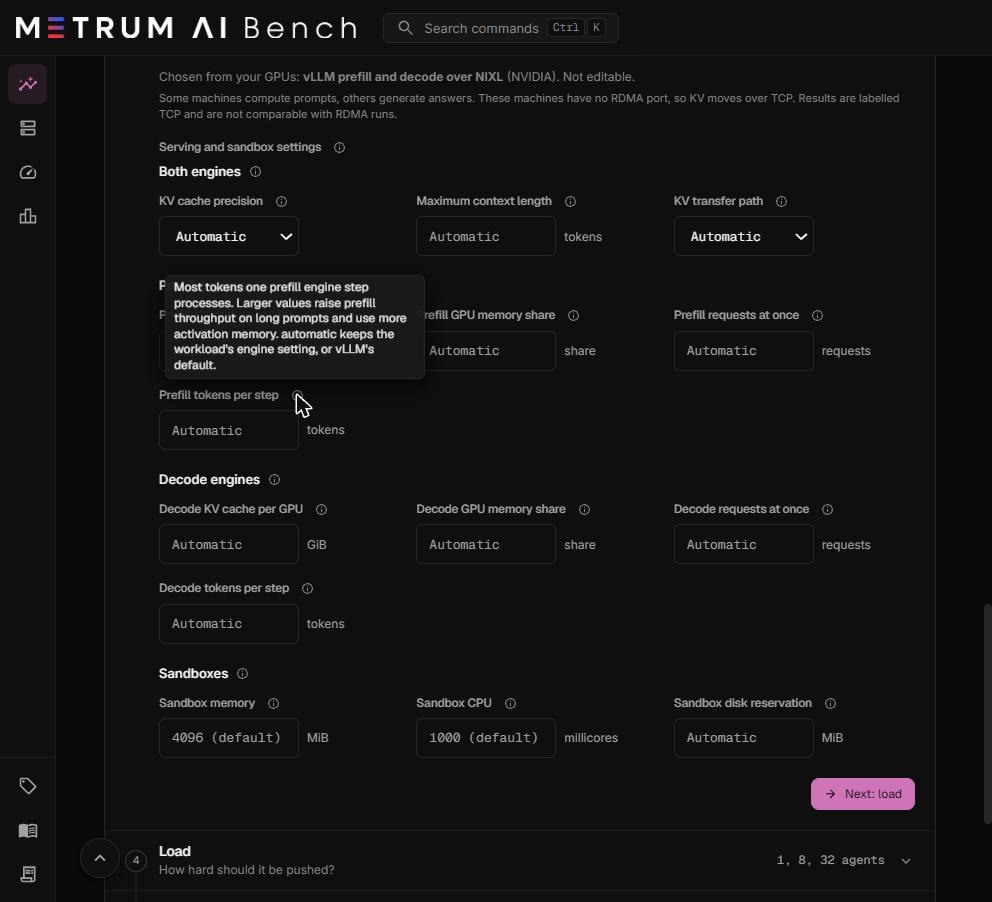
Decode engines
The machines that generate answers. The settings match the prefill settings, with the same ranges.
| Setting | What it means |
|---|---|
| Decode KV cache per GPU | GPU memory each decode GPU gives to the KV cache. This bounds how many requests decode holds at once. Automatic sizes it as for prefill. |
| Decode GPU memory share | The share of each decode GPU's memory the engine may use. |
| Decode requests at once | The most requests one decode engine runs at once. |
| Decode tokens per step | The most tokens one decode engine step processes. |
How a split run is measured
- Every request is split. The router sends every request through prefill, then decode.
- GPU busy uses decode GPUs only. On a split, the minimum GPU busy ratio and the tokens per GPU-busy-second are computed over the decode machines' GPUs.
- The layout is recorded on every level as the serving topology, for example
1P1Dfor one prefill machine and one decode machine. Split and non-split levels are never averaged together. - The split belongs to the run. A later edit of the project never changes how a queued run deploys.
Compare a split with a baseline
- Run the workload without a split on the same cluster group. Set tensor parallel size equal to GPUs per node, so each machine runs one engine, as the split does.
- Run the same workload with the split on. Keep the model, version, tasks, levels, trials, and SLA the same.
- Compare the two reports level by level: pass rate, passed tasks per hour, agent time percentiles, and time to first token.
- Compare only runs with the same transport: RDMA with RDMA, TCP with TCP.
Tested split configurations
| Machines | GPUs per machine | Tensor parallel | Layout | Transport | Model | Levels that passed every trial |
|---|---|---|---|---|---|---|
| 2 | 2 × NVIDIA L40S | 2 | 1 prefill, 1 decode | TCP | Qwen 3.8 27B, vLLM 0.30.0 | 32, 64, 128, 256, 512, 600 |
| 2 | 8 × AMD Instinct MI300X | 8 | 1 prefill, 1 decode | RDMA | A custom Hugging Face model, vLLM 0.30.0 | 4, 8 |
See Tested configurations for every setting of these runs.