Enterprise Agent workloads
An Enterprise Agent workload measures agents doing business work instead of coding. Each task set holds one realistic case. At each concurrency level, every agent works its own copy of that case at the same time, and a grader scores each finished copy for correctness and quality.
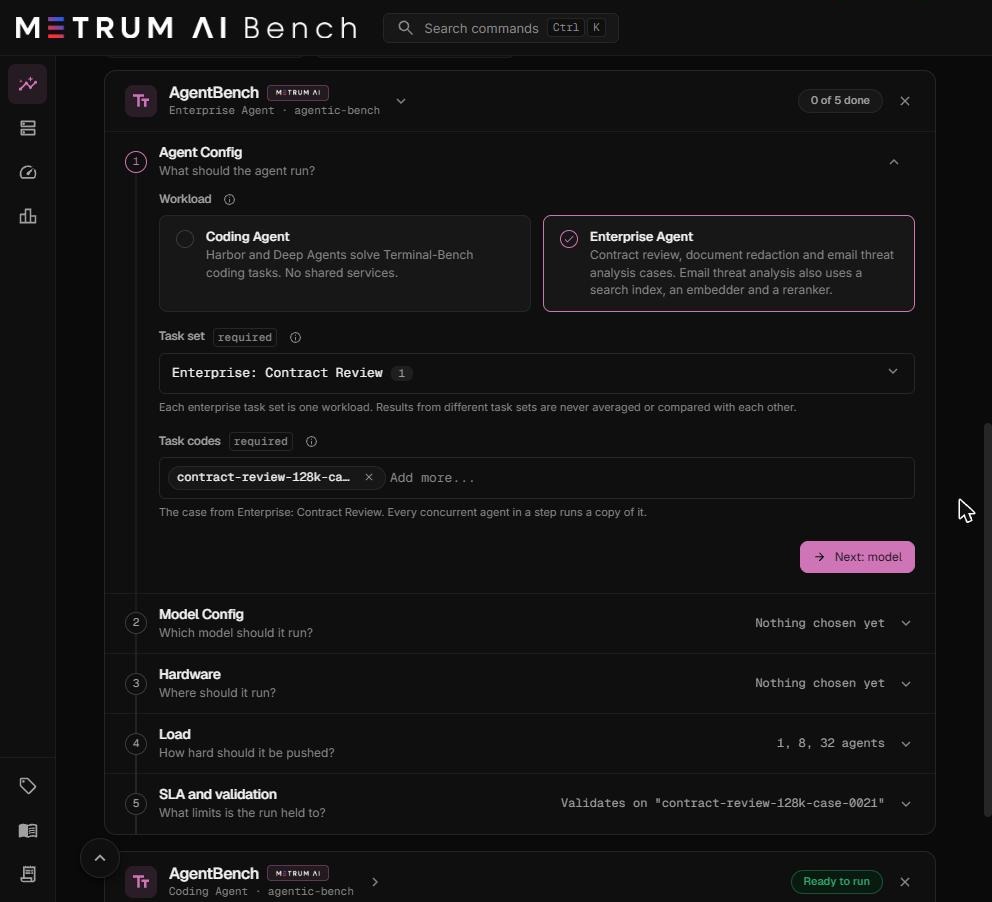
Choose an Enterprise Agent workload
- In Step 1, Agent Config, select Enterprise Agent.
- In Task set, choose one of the three enterprise task sets.
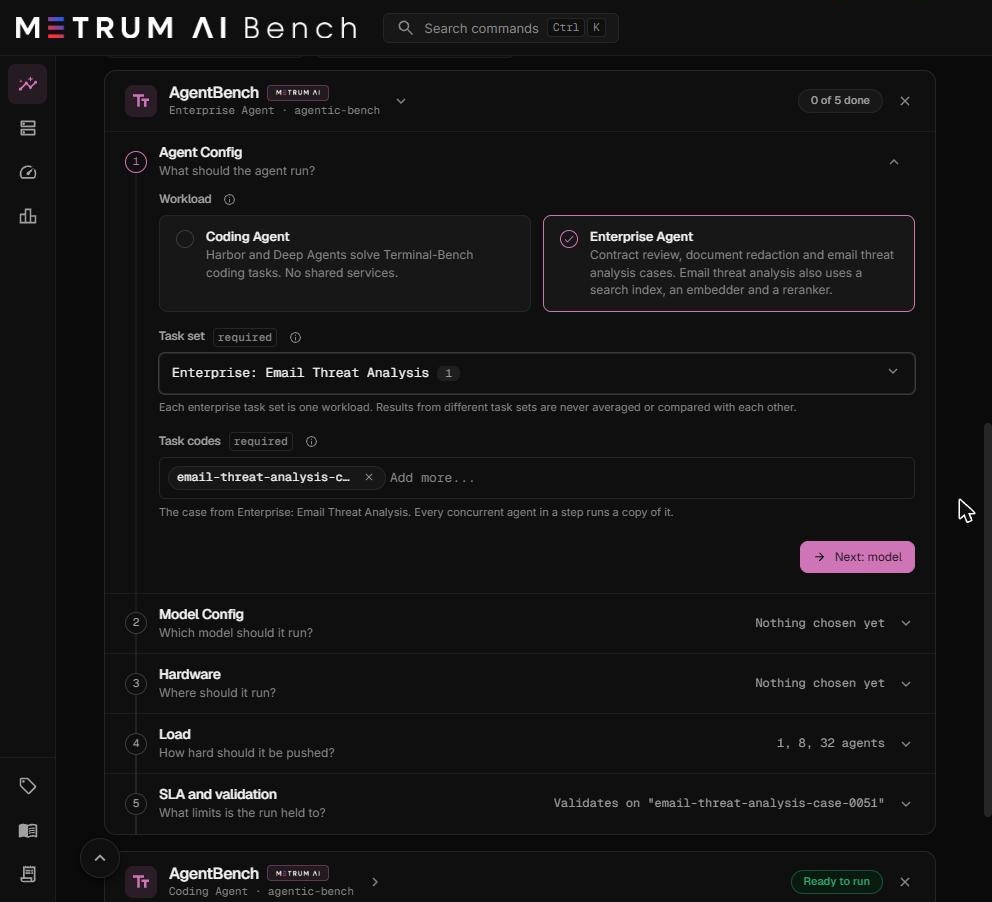
- Task codes fills in with the task set's one case. You cannot add or type another case.
- Complete Steps 2 to 5 as for any run. See Configure an Agentic Bench run.
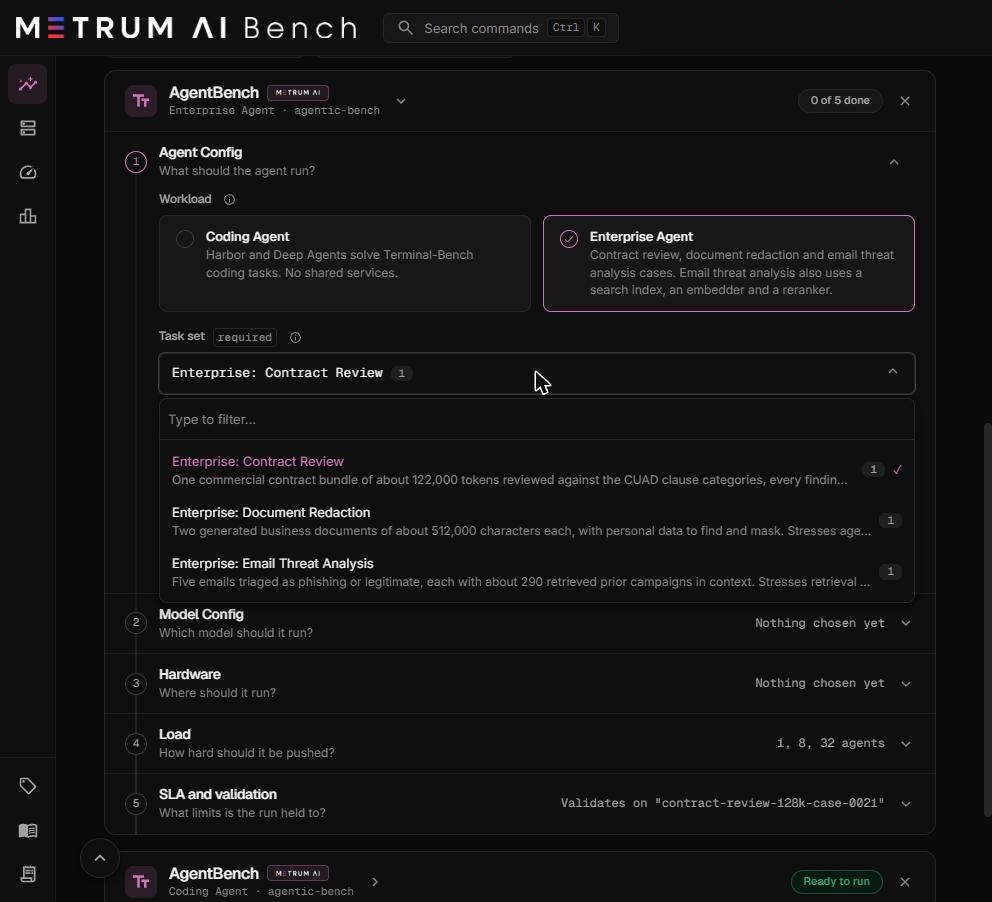
Each enterprise task set is its own workload. Results from different task sets are never averaged or compared with each other, and never compared with Coding Agent results.
The three task sets
| Task set | The case | What it stresses | Shared services |
|---|---|---|---|
| Enterprise: Contract Review | A bundle of 10 commercial contracts, about 122,000 tokens in all. The agent reviews it against the CUAD clause categories and quotes every finding from the text. | Prefill and the KV cache: every agent sends a very long prompt. | None |
| Enterprise: Document Redaction | Two generated business documents of about 512,000 characters each, an HR letter and a support ticket, with personal data to find and mask. | Agent fan-out and host CPU. | None |
| Enterprise: Email Threat Analysis | Five emails, four phishing and one legitimate, each triaged with about 290 retrieved prior campaigns in context. | Retrieval and the CPU reranker. | A vector search index, a text embedder, and a reranker. All three run on CPU. |
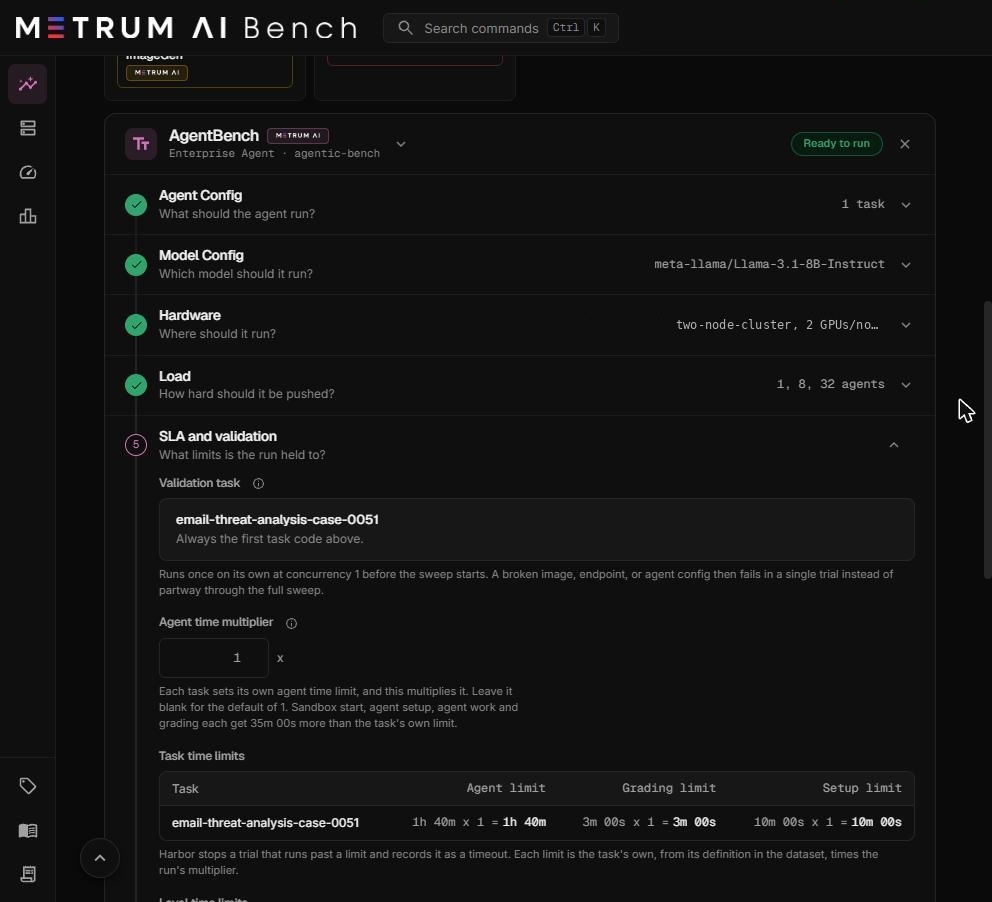
Case time limits
| Task set | Case | Agent limit | Grading limit | Setup limit |
|---|---|---|---|---|
| Contract Review | contract-review-128k-case-0021 | 1 h 40 min | 20 min | 10 min |
| Document Redaction | case-0029 | 1 h 30 min | 20 min | 10 min |
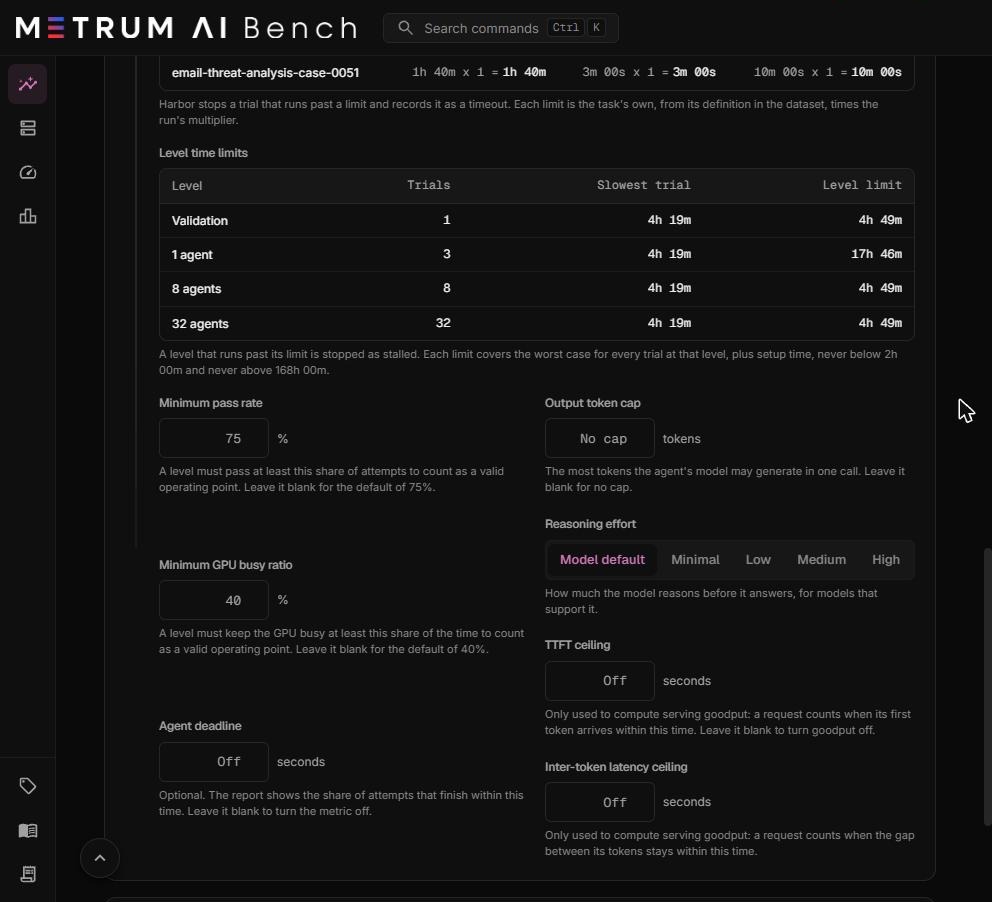
| Email Threat Analysis | email-threat-analysis-case-0051 | 1 h 40 min | 3 min | 10 min |
How an Enterprise run differs from a Coding Agent run
| Behavior | Coding Agent | Enterprise Agent |
|---|---|---|
| Tasks | One or more task codes you choose. | The one case of the task set. |
| Trials at a level | Tasks × trials per task, raised to at least the level. | The larger of Trials per task and the level. For example, with 3 trials per task: 3 copies at 1 agent, 8 at 8 agents, 32 at 32 agents. |
| Model server between levels | Stays up. | Restarted before every level, outside the measured time, so each level starts with an empty prompt cache. Copies share the prompt cache only within their own level. |
| Shared services | None. | Email Threat Analysis starts its three services, and restarts them before every level. |
| Default minimum pass rate | 85% | 75% |
| Default minimum GPU busy ratio | 60% | 40% |
| Qualification | Pass rate and GPU busy ratio. | Pass rate, GPU busy ratio, and the enterprise gates below. |
Enterprise gates
A level of an Enterprise run counts as a valid operating point only when every gate below passes and the GPU busy ratio meets its minimum. The report lists each gate with its measured value and its threshold. A gate that cannot be computed is shown as not evaluable, never as passed.
Integrity gates
These check that the measurement itself is sound.
| Gate | Passes when |
|---|---|
| Fleet validity | Every expected agent was ready at the same time, and the level was not marked invalid. |
| Worst node coverage | Telemetry coverage on the worst machine and source is at least 95%. The worst value is used, never the average. |
| Samples per series | The thinnest telemetry series holds at least 2 samples. |
Completion gates
| Gate | Passes when |
|---|---|
| Case pass rate | Passed cases divided by graded cases is at least your minimum pass rate (75% by default). At least 2 cases must be graded. |
| Observation completion | At least 98% of requested cases reported a result. |
| Infrastructure success | At least 95% of requested cases were not lost by the platform. |
| Grader timeout rate | At most 2% of requested cases could not be graded in time. |
Quality gates per task set
The averages are over the graded cases of the level.
| Task set | Gate | Passes when |
|---|---|---|
| Contract Review | Category precision | At least 0.917 of the clause categories called present are present. |
| Contract Review | Category recall | At least 0.433 of the present clause categories were found. |
| Contract Review | Citation precision | At least 0.4 of the quotes match a true clause span. |
| Contract Review | Citation recall | At least 0.037 of the true clause spans are matched by a quote. |
| Document Redaction | Leaked values | No high-severity value is left unmasked. |
| Document Redaction | Integrity failures | No document has text altered outside its masks. |
| Document Redaction | Missing documents | Every document has a redaction returned. |
| Document Redaction | Non-personal text kept | More than 0.5 of the non-personal text is kept in the worst document. |
| Document Redaction | Category accuracy over baseline | Category accuracy is above the share of the most common category. |
| Email Threat Analysis | Unjudged emails | Every email has a verdict. |
| Email Threat Analysis | Fabricated citations | No cited evidence is missing from the email. |
| Email Threat Analysis | Uncited threats | Every threat verdict cites evidence. |
| Email Threat Analysis | Balanced accuracy | The mean of threat recall and clean-email retention is above 0.5, better than chance. |
Sizing advice
- Contract Review needs a model with a long context. Contract Review sends about 122,000 tokens per agent. Of the verified models, Qwen3.5 9B, Qwen 3.8 27B and Qwen 3.8 27B FP8 hold it, at 262,144 tokens. Qwen3-4B, Qwen3-14B and Qwen3-32B hold 40,960 tokens as Agentic Bench serves them, which is too short. For an unverified model, check that its context length is at least 131,072 tokens.
- Contract Review is limited by KV cache memory. Each agent holds a very long context, so the number of agents one GPU serves is far lower than for coding tasks. Start with levels such as 1, 2, 4, 8, and add higher levels only after those pass.
- Email Threat Analysis uses host CPU for its services. The embedder and the reranker run on the machines' CPUs alongside the sandboxes. Leave CPU headroom, or use Pinned sandbox CPUs to keep agents and services apart.
- Document Redaction uses host CPU for agent fan-out. Watch the CPU charts in the report before you add levels.
An Enterprise model call that receives no output for 1,400 seconds fails. When a level holds more agents than the model server can serve, requests wait in its queue, and calls that wait that long fail. In a staging validation on two NVIDIA L40S GPUs, Contract Review passed every case at 1 and 8 agents, and at 32 agents more than half the cases failed this way. Choose levels the model server can serve, or add GPUs.
Example: Email Threat Analysis on two machines
This example configures an Enterprise run with an unverified model and a prefill and decode split.
| Step | Setting | Value |
|---|---|---|
| 1. Agent Config | Workload | Enterprise Agent |
| Task set | Enterprise: Email Threat Analysis | |
| 2. Model Config | Model | meta-llama/Llama-3.1-8B-Instruct, pasted as a Hugging Face ID |
| Version | vLLM 0.32.0 | |
| Engine args | tool_call_parser = llama3_json | |
| 3. Hardware | Cluster group | Two machines with 2 GPUs each |
| GPUs per node, tensor parallel | 2 and 2 | |
| Split prefill and decode | On, 1 prefill machine | |
| 4. Load | Concurrency levels | 1, 8, 32 |
| 5. SLA | Thresholds | Defaults: 75% pass rate, 40% GPU busy |
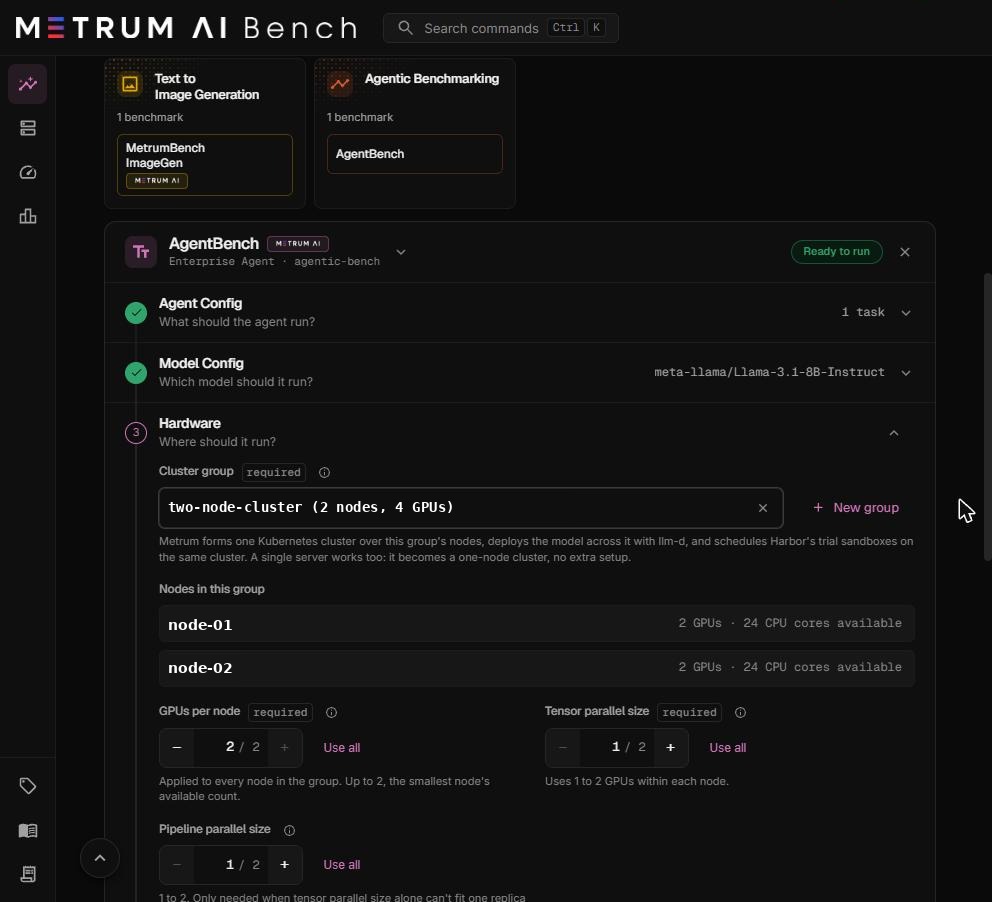
This example shows the configuration screens. It is not a tested result. For tested settings, see Tested configurations.